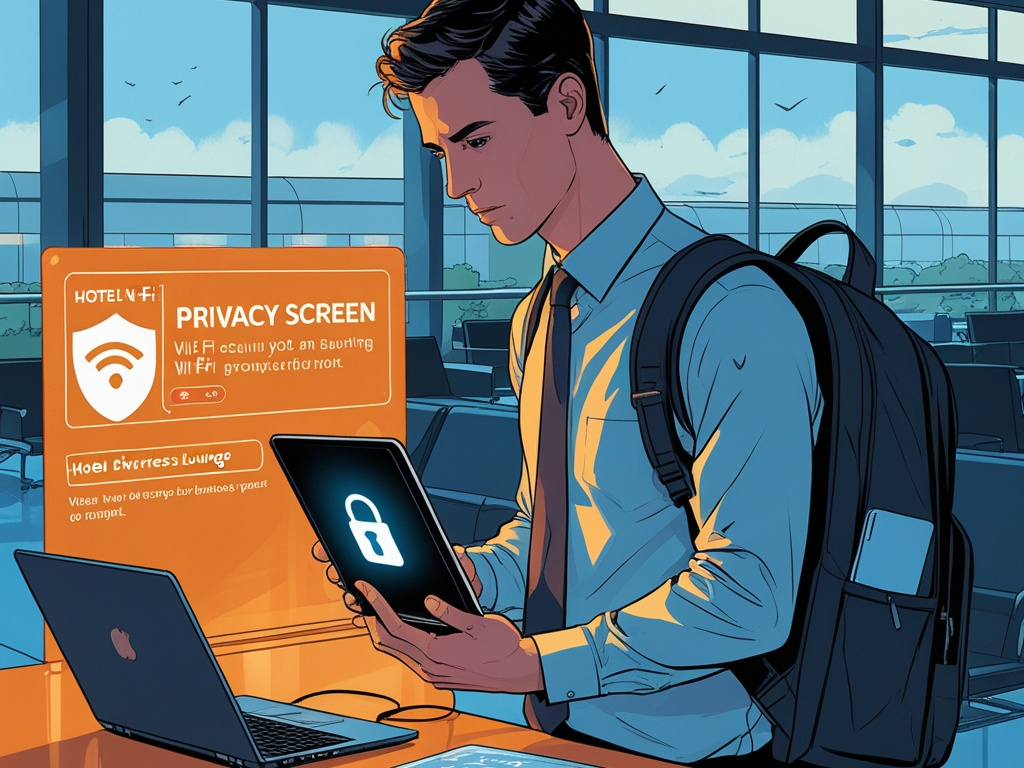
Work travel creates the kind of security problems that do not look dramatic until something goes wrong.
An employee brings a work laptop through an airport, joins hotel Wi-Fi, signs in to email from a phone with weak lock-screen settings, scans a conference QR code, plugs into a public charger, and handles sensitive files from a room shared with family or colleagues. None of those actions sounds like a breach story on its own. Together, they create a very normal path to credential theft, device exposure, and data loss.
That is why work travel cybersecurity deserves its own checklist instead of being treated like a footnote inside remote work policy.
Key Takeaway: A secure work trip is mostly about reducing avoidable trust. Travel safely by hardening the device before departure, being stricter about networks and charging, limiting what data comes along, and doing a short cleanup when the trip ends.
Why travel changes the risk model
Most office and home setups are at least somewhat familiar. Travel is not.
The user is moving between airports, rideshares, hotel rooms, shared event spaces, client offices, conference networks, and personal downtime. The device itself may stay secure, but the surrounding environment gets less predictable.
That unpredictability creates a different mix of risk:
- devices are easier to lose or leave behind
- shoulder surfing becomes more realistic
- hotel and event networks are harder to trust
- employees are more likely to bypass normal routines to stay productive
- personal and work activity often blend on the same phone or laptop
- urgent travel changes create more room for rushed approvals and phishing
This also makes travel a useful companion topic to Hexon's recent practical posts on secure remote work, mobile device security at work, browser hygiene, and secure file sharing. The difference here is the environment. Travel reduces control over the space around the user, which means the routine shortcuts become more expensive.
The practical checklist
You do not need a giant enterprise travel program to improve this. Small teams can reduce a lot of risk with a short list of repeatable steps.
1. Decide what really needs to travel
The safest sensitive file on a trip is the one that never left the office or cloud tenant in the first place.
Before travel, ask:
- does this person need the full local file set or just a few documents
- do they need admin access while traveling or only standard work access
- does the laptop need saved credentials for multiple business systems
- can a lower-risk device handle the trip instead of a fully loaded primary machine
Travel is a good time to cut unnecessary local copies, remove old downloads, and avoid carrying privileged access that is unlikely to be needed.
Common Mistake: Treating every business trip like normal office work on the move. Travel usually justifies a narrower set of apps, sessions, and data than daily office operations.
2. Update the laptop and phone before leaving
Do not start a trip with deferred security work.
At minimum:
- install operating system updates
- update the browser
- update password manager and MFA apps
- update VPN, endpoint security, and device management agents
- confirm full-disk encryption is enabled
- confirm device tracking and remote wipe are available where appropriate
This matters because travel is a bad time to discover that the laptop skipped updates, the phone lost compliance, or the browser is still carrying an old extension problem.
3. Strengthen screen lock and sign-in settings
A lot of travel exposure is physical, not remote.
Tighten:
- strong device passcode or password
- biometric unlock only if the team is comfortable with the risk model
- short screen-lock timeout
- auto-lock enabled on laptop and phone
- MFA protection on major work accounts
- no shared or generic travel account shortcuts
For high-risk roles, it also helps to make sure privileged actions require a separate admin account instead of happening inside the everyday session.
4. Be much more conservative with Wi-Fi trust
Travel is where people talk themselves into bad network decisions because the alternative feels inconvenient.
Useful rules:
- prefer personal hotspot or known-good mobile data when practical
- treat hotel, airport, and conference Wi-Fi as untrusted by default
- verify network names with staff when needed instead of guessing
- disable auto-join for open or unfamiliar networks
- avoid sensitive admin work on random captive-portal connections
- use the company VPN if the business relies on one
The point is not paranoia. It is avoiding situations where the employee cannot clearly explain what network they joined and why they trusted it.
5. Treat conference QR codes and travel messages as phishing surfaces
Travel creates a lot of believable urgency.
Attackers know that employees on the move are more likely to trust:
- airline or hotel problem notices
- ride receipt links
- conference agenda updates
- guest Wi-Fi QR codes
- MFA or login alerts arriving during boarding or transit
That makes travel a practical phishing moment even for otherwise careful people.
A simple baseline helps:
- do not scan random QR codes just because they are convenient
- type known domains directly for booking or account issues
- verify unexpected schedule or invoice messages before clicking
- slow down on MFA prompts that appear during travel friction
- use official apps already installed before the trip when possible
6. Keep browsing cleaner than usual
Trips are not the time to experiment with new browser tools, AI helpers, plug-ins, or "quick productivity" extensions.
Stick to:
- approved browser profiles
- approved extensions only
- no travel-day extension installs
- no saving important credentials into the browser for convenience
- no mixing personal browsing sprawl with privileged work sessions
The reason is simple. Travel already adds environmental risk. You do not need to add browser trust risk on top of it.
7. Be careful with charging, ports, and removable media
Public charging is still one of those topics where people argue about the likelihood and miss the more practical point: you do not need the risk.
Safer defaults:
- carry your own charger and cable
- use AC power outlets instead of unknown USB ports when possible
- avoid plugging work devices into random kiosks or presentation stations
- do not insert found USB drives or conference giveaway media
This is not complicated, but it is exactly the sort of small habit that gets ignored when someone is tired and late.
8. Protect what people can see, not just what they can hack
Some travel exposure is very low-tech.
Think about:
- privacy screens for frequent travelers
- seat choice when working in public
- locking the screen before standing up, even briefly
- not discussing sensitive customer or incident details in shared spaces
- not leaving devices visible in cars, lobbies, or conference seating areas
If a screen full of payroll data, customer records, or internal plans is visible to strangers, the security failure has already happened even without malware.
9. Separate personal and work use where you can
Travel often blends work and personal time. That is normal. The problem starts when the device boundary disappears too.
Small teams should at least be clear on a few basics:
- which device is the approved work device
- whether personal family use is allowed on the work laptop during travel
- whether work files can be copied to personal cloud storage for convenience
- whether business logins can stay active on a personal tablet or home computer at the destination
Most of the time, the right answer is simpler than people think. Keep business work on the business-managed device and avoid spreading sessions across side devices unless there is a real need.
10. Have a short lost-device response plan before the trip starts
The travel plan should include more than booking details.
Before departure, make sure the traveler knows:
- who to contact if a device is lost or stolen
- how quickly to report it
- whether the device can be remotely locked or wiped
- which accounts should be disabled first if the phone disappears
- how to recover access if MFA is tied to the missing device
This matters because the first hour after loss is rarely calm. A written plan beats improvising from an airport help desk line.
11. Do a post-trip cleanup instead of treating return as done
A good travel security checklist does not end when the plane lands.
After the trip:
- remove files that were downloaded only for the trip
- review whether new Wi-Fi networks or Bluetooth pairings should be forgotten
- sign out of borrowed or temporary access paths
- check for strange MFA prompts, login alerts, or forwarded mail rules
- review whether anything sensitive was stored locally for convenience
- report any suspicious device behavior that appeared during travel
This step is what catches the quieter issues that nobody notices during transit.
12. Turn the checklist into a standard travel baseline
If the company has repeat travelers, this should not live as tribal knowledge.
Write down a lightweight baseline that covers:
- approved devices for travel
- minimum update and encryption requirements
- Wi-Fi and hotspot expectations
- VPN guidance
- lost-device reporting
- rules for public charging and removable media
- expectations for sensitive work in public spaces
- cleanup steps after return
It does not need to be long. It needs to be consistent enough that employees know what "normal secure travel" looks like.
A short work travel cybersecurity checklist
If you want the condensed version, use this:
- travel with only the data and access actually needed
- update laptop, phone, browser, and security tools before departure
- enforce strong lock-screen and MFA settings
- prefer hotspot or trusted mobile data over unknown Wi-Fi
- use VPN where the business expects it
- avoid QR-code trust traps and rushed travel phishing
- install no new browser extensions during the trip
- use your own charger and avoid random USB ports
- protect screens and conversations in public
- keep work activity on the approved work device
- know the lost-device response path before leaving
- do a short account and device cleanup after the trip
Pro Tip: Travel security gets easier when the checklist is designed for real behavior. If your baseline depends on perfect attention from tired people in crowded spaces, it is too fragile.
Final takeaway
In 2026, business travel security is less about exotic attacker tradecraft and more about ordinary trust decisions made under time pressure. Hotel Wi-Fi, travel phishing, public screens, blended personal use, and lost devices are enough to create real exposure without any zero-day in the story.
The fix is refreshingly practical. Carry less data, trust fewer networks, keep the browser and device clean, know what to do if something goes missing, and clean up when the trip ends.