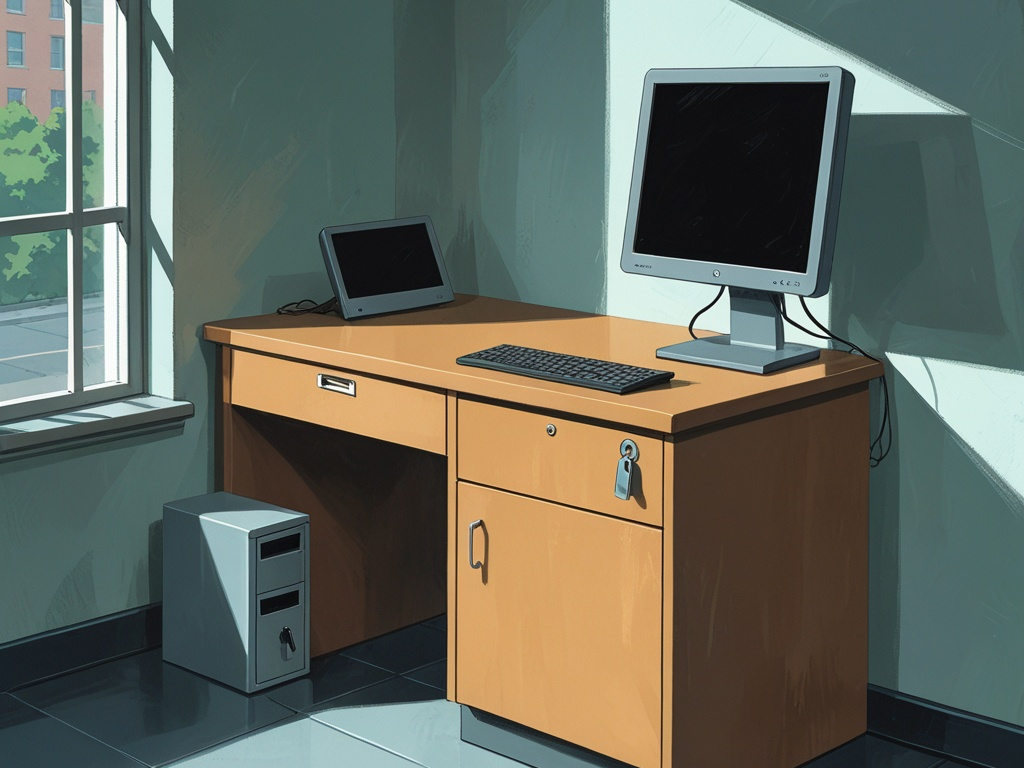
Shared workstations still cause more security trouble than most teams admit.
A front-desk computer gets used by three people across one shift. A clinic intake station stays logged in because patients keep arriving. A warehouse counter PC becomes the fastest place to print labels, check email, and open a browser tab for "just one minute." A shared office terminal ends up bridging personal phones, USB drives, contractor visits, and business systems all day long. None of that looks dramatic. That is exactly why shared workstation security still deserves practical attention in 2026.
The issue is not only malware. It is accumulated trust. These machines often sit in visible, high-traffic spaces where physical access, hurried handoffs, and broad permissions combine into one weak point. If a common-area workstation has loose login habits, weak session controls, and unclear ownership, it can quietly become the easiest path into more important systems.
Key Takeaway: Shared workstation risk is rarely one big failure. It is usually a stack of small exceptions around identity, physical access, removable media, and idle sessions that add up to a breach path.
Why this matters more than teams expect
Security teams usually spend more time thinking about laptops, SaaS admins, VPNs, and executives than the computer sitting at reception.
That is a mistake.
Common-area machines often have exactly the mix attackers want:
- regular contact with visitors, deliveries, or semi-public spaces
- multiple users across one device
- pressure to keep work moving quickly
- weak certainty around who did what
- peripherals and accessories that move in and out constantly
- access to email, scheduling, documents, ticketing, or operational systems
This is why the topic sits naturally beside Hexon's recent practical posts on office badge security, USB drive security, help desk identity checks, and admin access at work. The pattern is the same each time: a busy workflow creates informal trust, and informal trust becomes the opening.
The mistake most organizations make
They treat shared workstations like ordinary desktop computers with a sign taped nearby.
That misses the real problem. A common-area device is not just a computer. It is a traffic point where:
- people rotate quickly
- physical proximity gets mistaken for authorization
- convenience pressures override clean logins
- privacy screens and screen locks matter more
- the difference between standard and privileged actions needs to stay very clear
Common Mistake: If three people share the machine but nobody explicitly owns the workflow, the machine will drift toward broad access and weak accountability.
The practical checklist
Small teams do not need a giant VDI project to reduce this risk. They need a clearer model for who uses the workstation, what it is allowed to access, and how the device behaves between users.
1. Define what the workstation is for and what it is not for
Start with role clarity.
A front-desk station, clinic intake PC, dispatch counter terminal, or warehouse workstation should have a narrow purpose. If the device quietly expands into general browsing, personal email, file downloads, finance work, and admin tasks, the risk expands with it.
Write down a short allowed-use baseline:
- check-in and scheduling only
- label printing and shipment status only
- visitor registration and internal directory lookup only
- ticket entry and queue handling only
Then define what should not happen there:
- privileged admin work
- password-manager super-admin access
- HR or payroll review
- random browser downloads
- personal logins
- ad hoc USB file transfers
The device should serve the workflow, not become a catch-all machine for anything nearby employees need.
2. Separate shared-use logins from privileged identities
This is one of the biggest failure points.
Many teams let a shared workstation become the place where normal staff actions and elevated actions happen under the same identity. That is how accountability disappears. Even worse, it is how a semi-public machine ends up with access that was never appropriate for the space.
Better patterns include:
- standard user accounts for normal workflow
- separate elevation paths for rare admin actions
- named user sessions where practical, even on shared hardware
- stronger approval for any workstation that touches sensitive systems
If the business still relies on one generic admin-capable account at a shared desk, the workstation is carrying too much trust.
This is also where shared account risk and admin access basics overlap directly. Shared devices do not excuse fuzzy identity boundaries. They make them more dangerous.
3. Make fast sign-in possible without making anonymous use normal
Employees keep sessions open because they do not want to break the workflow.
That is understandable. It is also exactly why the workflow needs a better sign-in pattern.
Depending on the environment, that may mean:
- short re-auth for sensitive actions
- badge or smart-card based sign-in
- passwordless sign-in with managed device policies
- fast user switching
- role-specific launchers or kiosk-style access for narrow tasks
The point is simple: if the secure path is slow, the insecure path becomes policy in practice.
Pro Tip: Design the shared workstation around quick re-entry, not around one long session that survives the whole shift.
4. Tune auto-lock and idle behavior for the actual environment
Shared workstations need tighter session discipline than private laptops.
If the device sits near visitors, customers, patients, delivery drivers, contractors, or rotating staff, the idle timeout should reflect that reality. A screen left open for convenience can expose customer information, internal messages, or browser sessions to the wrong person in seconds.
Review:
- automatic screen lock timing
- whether unlocked sessions remain visible from public angles
- whether the lock screen leaks names, notifications, or message previews
- whether return-to-session requires the right user to re-authenticate
There is no universal perfect timeout. But "whenever someone remembers" is not a control.
5. Reduce what is visible from the surrounding space
A common-area computer is partly a physical security problem.
That means the environment matters:
- screen placement
- visitor line of sight
- physical barriers
- cable routing
- privacy filters where appropriate
- whether ports, drawers, and accessories are exposed casually
This point gets missed because it feels less technical. It matters anyway. If a front desk or clinic station sits in a way that lets outsiders read names, schedules, ticket queues, or email previews, the layout is doing part of the attacker’s work for them.
The same logic applies to printers, papers, label bins, and handwritten notes around the workstation. Device security is never only about the device.
6. Treat USB ports and accessories as part of the risk surface
Shared workstations attract borrowed peripherals.
That may include:
- thumb drives
- charging cables
- barcode scanners
- label printers
- adapters
- loaner keyboards or mice
- vendor accessories
Every one of those adds a trust question. The device should not become the first place an unknown accessory gets tested just because it is nearby and convenient.
This is where the same discipline from USB drive security matters. If the business needs a removable-media exception path, keep it controlled. Do not let the busiest shared machine become the default intake point.
7. Strip out unnecessary browser and app clutter
Because shared machines sit in useful locations, they tend to accumulate junk over time:
- saved browser tabs
- stale downloads
- remembered sessions
- unnecessary extensions
- personal bookmarks
- old helper apps
- extra local files
That clutter matters because it creates both exposure and confusion. A user who inherits the last person's session state is more likely to act in the wrong account, click the wrong saved page, or leave sensitive data behind for the next person.
For browser-heavy workflows, the safer baseline usually includes:
- only the required browser profile
- only the required extensions
- blocked password saving if it conflicts with the identity model
- controlled download handling
- regular review of local cached files and saved sessions
That lines up with the same practical lessons from browser hygiene at work. Shared browser state is still state, even if nobody intended to keep it.
8. Keep the machine out of high-value approval chains
A shared workstation should not quietly become the place where sensitive exceptions get approved.
Be careful about allowing common-area devices to handle:
- payroll changes
- banking actions
- vendor payment approvals
- password-manager recovery
- MFA resets
- global SaaS admin changes
- export-heavy customer-data work
If the workstation supports a business process that must occasionally trigger one of those actions, require a stronger second step on a more controlled path. The fastest machine in the room should not automatically become the trust anchor for the business.
9. Make ownership explicit at the workflow level
Even when many people use a device, someone still needs to own the standard.
That owner may be:
- office operations
- clinic operations
- IT
- a facilities lead
- a department manager with named support from IT
What matters is that somebody can answer:
- who is allowed to use this workstation
- what systems it should access
- what the timeout and lock rules are
- who reviews changes
- what to do when a peripheral, login, or browser issue falls outside the normal path
Without that owner, exceptions pile up silently.
10. Train for the specific bad habits that happen on shared devices
Employees do not need a theory lecture. They need to recognize the ordinary mistakes.
Brief them on examples such as:
- do not leave the station unlocked while stepping away for a "quick second"
- do not use a coworker's already-open session because the line is busy
- do not plug in found or borrowed storage
- do not let visitors stand where sensitive information is visible
- do not approve password or MFA recovery changes from the common-area device unless the workflow explicitly allows it
- do not use the machine for unrelated browsing because it feels convenient
These are the moments when policy succeeds or fails.
11. Include shared workstations in onboarding and offboarding
Many companies document laptops and SaaS accounts but skip the common-area machines entirely.
That gap causes predictable problems:
- former staff still know the workflow shortcuts
- nobody revisits which accounts remain signed in
- peripheral and key custody gets sloppy
- role changes leave shared stations with broader access than they need
Shared-device expectations should appear in both onboarding and offboarding. Otherwise, the device becomes one of the quiet places where old trust lingers.
12. Review common-area machines as if you were an outsider standing nearby
This is the simplest audit and one of the most useful.
Walk up to the workstation and ask:
- what can I see without touching anything
- what can I reach physically
- what happens if the current user walks away
- what identities appear to be active
- what accessories are lying around
- what browser state is already open
- what would an impatient employee do here to save 30 seconds
That last question matters. Attackers and accidents both benefit from shortcuts the environment encourages.
What small teams should change first
If the current setup is loose, do not try to solve everything at once. Start with the changes that remove the most informal trust:
- narrow the allowed use of each shared workstation
- tighten auto-lock and re-auth behavior
- remove privileged access from the shared path
- clean up browser state, peripherals, and USB habits
- assign an explicit owner for the workflow
Those five changes usually do more than adding one more policy memo.
Final takeaway
Shared workstation security matters in 2026 because the common-area computer is often where physical access, rushed work, and identity shortcuts intersect. A front desk, clinic station, warehouse counter, or shared office terminal does not need to look dramatic to become risky. It only needs loose habits and too much trust.
Treat these devices as controlled workflow stations, not generic convenience PCs. When the purpose is narrow, the identities are clean, the sessions lock quickly, and the surrounding space supports the policy, a shared workstation stops being the easiest exception in the room.