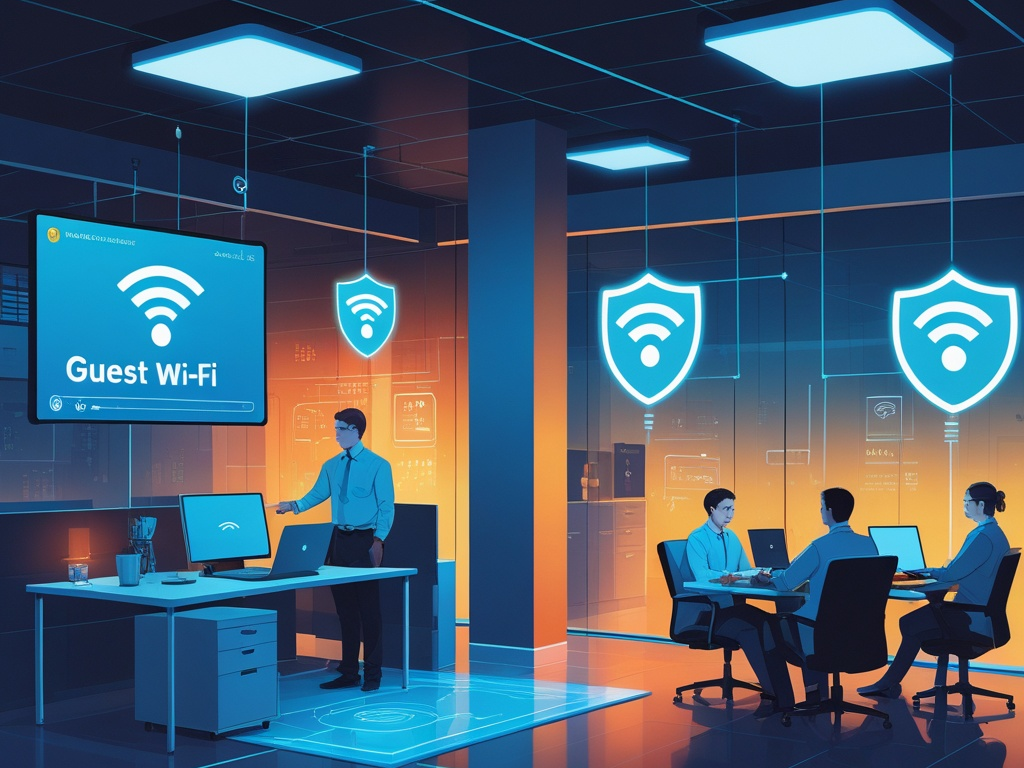
Guest Wi-Fi sounds like a convenience feature until you look at what now ends up on it.
Customers ask for internet access in waiting areas. Contractors bring their own laptops. Employees connect personal phones, tablets, watches, and sometimes side devices they do not even think of as computers. Offices also keep adding smart TVs, printers, cameras, meeting-room panels, and demo devices that need connectivity but should not sit anywhere near finance systems or internal admin tools.
That is why guest Wi-Fi security has become a practical small-business issue in 2026. The problem is not only bandwidth abuse. It is weak separation between visitor traffic and business systems, casual reuse of the same wireless password for everything, and routers that still ship with more trust than a growing company should accept by default.
Key Takeaway: Most small businesses do not need enterprise-grade network engineering to improve guest Wi-Fi security. They need clearer separation, simpler access rules, and fewer devices sharing the same trusted lane by accident.
Why guest Wi-Fi matters more now
The modern small office is crowded with mixed-trust devices.
On a normal day, the same location may contain:
- employee laptops with SaaS admin access
- personal phones used for work MFA prompts
- vendor laptops visiting for support or installation
- customer devices using lobby or meeting-room internet
- printers, TVs, streaming boxes, and conference-room systems
- test devices used for demos, sales, or troubleshooting
When all of that lands on one flat wireless network, the business creates risk it rarely means to create. A visitor may never touch an internal file share directly, but they can still end up on the same logical network as workstations, printers, internal dashboards, or devices nobody has reviewed in months.
This is also why the topic fits the same companion lane as Hexon's recent posts on secure remote work setups, endpoint hygiene, mobile device security, and vendor access risk. The shared issue is simple: too much trust gets handed to devices and users because they are physically nearby.
The practical checklist
You do not need to rebuild the whole office network this week. Start by fixing the trust boundaries that are easiest to tighten.
1. Separate guest Wi-Fi from the internal business network
This is the control that matters most.
If visitors, contractors, and personal devices use the same network as business laptops and internal equipment, every other security decision gets weaker. Separate SSIDs are the usual starting point, but the real goal is traffic isolation, not cleaner naming.
At minimum, your guest network should be distinct from the network used for:
- employee work devices
- shared storage or local servers
- printers and scanners
- admin interfaces for routers, firewalls, cameras, or SaaS appliances
- smart office devices tied to operations
If your equipment supports guest isolation or VLAN-based separation, use it. If it does not, that is a sign the network stack may be too limited for how the business operates now.
2. Do not use one Wi-Fi password for the whole company
Many small offices start with one wireless password because it feels efficient.
Over time that one password gets shared with:
- employees
- ex-employees
- contractors
- customers in a hurry
- delivery technicians
- random devices nobody remembers approving
That turns a basic convenience setting into a long-term access problem. Once the password spreads, it is rarely rotated until something goes wrong.
The safer baseline is straightforward:
- keep a separate password for guest Wi-Fi
- reserve the internal Wi-Fi credential for approved work devices only
- rotate guest credentials when they have been shared too widely
- avoid printing the internal password where visitors can see it
Common Mistake: Businesses think the guest password is harmless because it only provides internet. In reality, teams often blur the guest and internal networks enough that the shared credential becomes more powerful than intended.
3. Turn on client isolation for guest access where possible
Guest users usually do not need to talk to each other.
They need internet access. They do not need to browse other connected guest devices, discover local services, or cast freely into work equipment unless you have a specific reason to allow it.
Client isolation helps reduce casual lateral movement by limiting how guest devices communicate on the same wireless segment. That matters because the risk is not only a deliberate attacker. It also covers infected personal laptops, noisy scanning tools, and risky software on contractor devices.
If isolation breaks a legitimate workflow, handle that as a narrow exception instead of disabling the control everywhere.
4. Keep router and access point management off the guest path
Guest Wi-Fi should never be an easy route to the network gear itself.
Review whether visitors can reach:
- the router or firewall admin panel
- wireless controller interfaces
- printer configuration pages
- camera dashboards
- NAS or backup systems
If the answer is yes, your segmentation is weaker than it looks. Small businesses often assume a guest SSID is enough while leaving management interfaces reachable inside the same local address space.
This is one of those details that feels technical until it becomes operationally painful. If a visitor or unmanaged device can even see the admin plane, the business has already exposed more trust than needed.
5. Create a separate lane for office IoT and smart devices
Not everything that is not a laptop belongs on guest Wi-Fi.
Many offices now rely on devices that need connectivity but should not sit on the main employee network either, including:
- conference-room TVs
- casting dongles
- smart printers
- badge or visitor systems
- cameras and monitoring gear
- demo tablets and kiosks
These devices often have weaker patching, weaker authentication, and longer replacement cycles than employee laptops. Putting them directly beside business systems is a poor default. Putting them on open guest access is not ideal either.
If possible, keep a third lane for business-owned devices that are internet-connected but not trusted like managed endpoints.
6. Limit guest access duration and distribution habits
The safest guest credential is the one that does not quietly live forever.
Ask a few practical questions:
- how is guest Wi-Fi access handed out
- who knows the current password
- how often is it rotated
- can former vendors or repeat visitors still connect months later
For many small businesses, a quarterly guest password rotation is enough to clean up old access without creating chaos. If your router supports temporary guest credentials, QR-based onboarding with expiration, or voucher-style access, that is even better.
The key is not sophistication. The key is avoiding permanent, low-visibility access that nobody reviews.
7. Treat contractor and vendor devices as higher risk by default
This point matters even when you trust the vendor.
An outside technician may bring a perfectly legitimate laptop that is still:
- unmanaged by your company
- used across multiple client environments
- carrying old remote access tools
- exposed to unknown USB devices, files, or networks elsewhere
That does not mean vendors are careless. It means their device hygiene is not under your control.
Unless there is a strong reason otherwise, start contractors and visiting support staff on guest or isolated access. If they need access to internal systems, make that a deliberate exception tied to a specific task, owner, and time window.
This is the network version of the same discipline behind vendor access risk. Trust should be scoped, not assumed.
8. Review what employees connect to work Wi-Fi with their personal devices
The line between employee and guest traffic is often messier than teams admit.
An employee's personal phone, family tablet, gaming handheld, or old laptop may end up on the office network simply because they know the password and nobody objected. That creates a mixed environment where unmanaged personal devices share space with work systems.
If staff use personal devices at the office, define which ones belong on guest Wi-Fi by default. In many small businesses, the answer should be "most of them."
That keeps the internal wireless network focused on approved work devices instead of becoming a catch-all for anything carried through the door.
9. Watch for insecure convenience features
Some wireless features make setup easier while quietly weakening the environment.
Review whether your equipment still allows or exposes:
- default admin passwords
- WPS or similar easy-pairing shortcuts
- old encryption modes for compatibility
- unchanged manufacturer SSIDs or management names
- remote administration enabled without a good reason
Small businesses often inherit old router settings because the original setup "worked fine." In 2026, that is not a meaningful security standard. If the company depends on wireless connectivity every day, the gear deserves an hour of focused review.
10. Write down a short office network baseline
You do not need a long policy document for this to help.
A useful one-page baseline can answer:
- which SSID is for employees
- which SSID is for guests
- whether personal devices belong on guest by default
- who can share internal Wi-Fi credentials
- who owns password rotation and router admin access
- how vendors get temporary connectivity
That kind of clarity prevents the usual drift where one helpful employee makes an exception, then the exception becomes the real process.
Pro Tip: If your team can explain the guest Wi-Fi rule in one minute, people are much more likely to follow it than if the rule lives only in the router settings.
What small businesses should do first this month
If the network needs a cleanup pass, start here:
- confirm that guest Wi-Fi is actually isolated from internal business systems
- rotate any wireless password that has been shared too broadly
- move personal and visitor devices off the internal SSID by default
- review router admin, WPS, and remote management settings
- decide whether IoT and meeting-room devices need their own network lane
That list will not make the office perfect. It will remove a lot of the casual trust sprawl that accumulates when wireless access grows faster than policy.
Final thought
Guest Wi-Fi security is really about deciding who and what belongs inside the business trust boundary.
For small teams in 2026, the risk is rarely a movie-style wireless attack. It is the slow build-up of convenience: one password, one flat network, too many devices, too little review. Fixing that does not require heroic infrastructure work. It requires cleaner separation, smaller assumptions, and a willingness to say that internet access for visitors should stay exactly that: internet access for visitors.