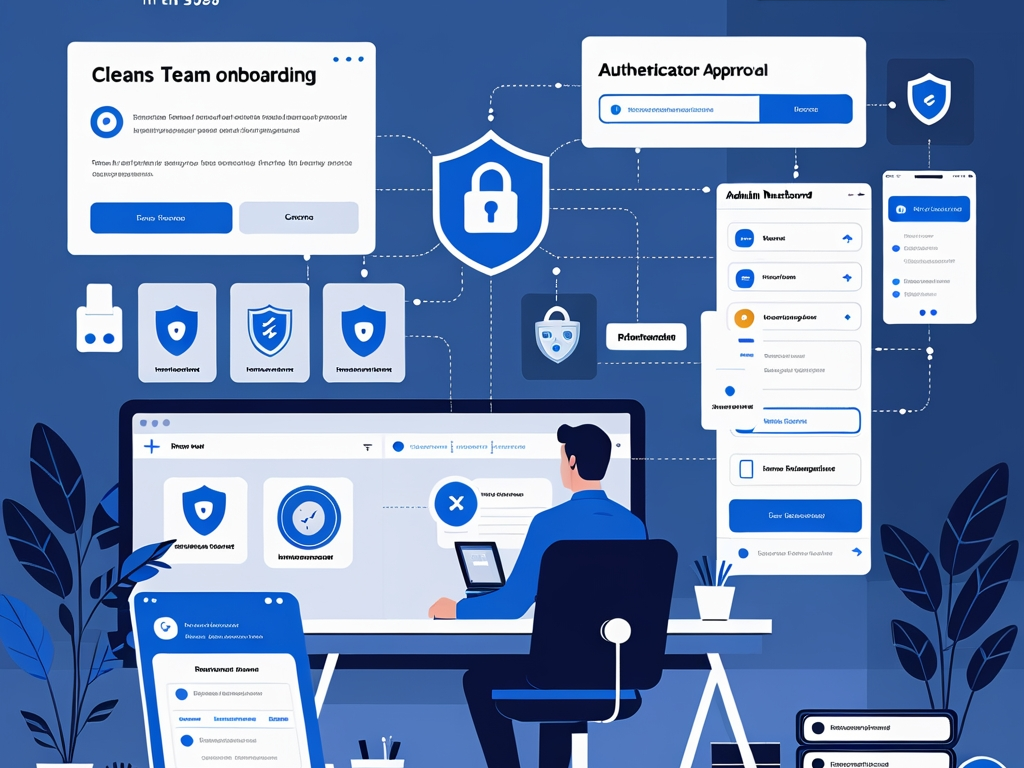
Most small teams do not fail at identity security because they never heard of password managers or multi-factor authentication.
They fail because the rollout stays half-finished.
The company buys a vault but leaves shared passwords in spreadsheets. MFA gets turned on, but only through weak SMS fallback. Recovery codes end up in someone's notes app. Admin accounts keep special exceptions forever. New employees get inconsistent setup help, and old contractors keep access longer than anyone intended.
That is why a password manager and MFA rollout deserves more attention in 2026. The issue is not whether the tools exist. The issue is whether the business can move real people, real accounts, and real habits onto a stronger baseline without creating confusion that everyone works around.
Key Takeaway: A successful rollout is not just "turn on MFA" or "buy a password manager." It is a migration plan that moves accounts into a managed vault, removes weak storage habits, tightens recovery paths, and gives higher-risk users stronger authentication than the default.
Why this matters more now
Small businesses run more of their company through browser-based identity than they used to.
One employee may now use the same phone and laptop to handle:
- company email
- payroll or finance approvals
- SaaS admin tasks
- password vault access
- support tools
- AI apps
- personal browsing
- recovery prompts and security notifications
That creates a practical trust problem. Even when the business means well, sign-in sprawl grows faster than discipline.
This is why the topic belongs beside Hexon's recent practical coverage on business email security, MFA prompt fatigue, account recovery security, and admin access at work. In each case, the root issue is the same: identity controls only help if the operating habits around them are actually clean.
What usually goes wrong in small-team rollouts
The most common failures are not especially technical.
They look like this:
- one or two people adopt the vault while everyone else keeps using browser-saved passwords
- the team imports credentials but never cleans up duplicate, stale, or shared entries
- MFA gets enabled inconsistently across apps
- SMS remains the default for important accounts because it feels easiest
- backup codes are stored informally
- shared accounts survive because nobody wants to untangle them
- executives or admins keep broad exceptions "for convenience"
- onboarding documents explain where to click, but not which habits must stop
Common Mistake: Treating the rollout as a software purchase instead of an access-change project. The tool matters less than the migration discipline.
The practical rollout guide
Small teams do not need a six-month identity program to improve this. They need a short sequence that moves their highest-risk sign-ins first and closes the obvious gaps around storage, MFA, and recovery.
1. Start with an account inventory, not a policy memo
Before choosing enforcement rules, list the systems that matter most.
At minimum, inventory:
- email and productivity suites
- password manager admin roles
- payroll and finance tools
- identity providers and SSO
- domain and DNS accounts
- cloud platforms
- support and CRM tools
- code repositories and developer platforms
Then note:
- who uses each system
- whether the login is individual or shared
- whether MFA is enabled
- what MFA method is used
- where recovery currently lives
That one inventory will usually expose the real problem faster than a general security reminder ever will.
2. Choose one work password manager and define ownership clearly
Rollouts get messy when the company informally supports several storage habits at once.
Pick one approved work vault and make the rules plain:
- which password manager is approved
- who administers it
- which account type employees should use
- whether personal vaults are acceptable for business credentials
- where access requests and recovery issues go
This does not mean the chosen product solves the whole problem. It means the business stops sending mixed signals.
If the team wants a simpler operating rule, use this:
Business credentials belong in the approved work vault or nowhere.
That is much easier to enforce than a vague warning against "unsafe storage."
3. Move shared credentials first, then reduce how many still need to exist
Shared passwords cause some of the worst small-team habits.
They get copied into chat, saved in personal browsers, pasted into onboarding docs, and carried across role changes. They also make MFA ownership confusing, which is how access hygiene starts to decay.
Start with the highest-impact shared credentials:
- finance tools
- registrar and DNS accounts
- email admin accounts
- social and marketing platforms
- vendor portals
- support systems
Move those credentials into the vault first. Then ask which ones should stop being shared at all.
This overlaps directly with shared accounts at work. The longer the rollout tolerates shared sign-ins as "temporary," the more likely they become permanent.
4. Require unique passwords and stop treating browser autofill as the company vault
Some teams buy a password manager but keep relying on personal browser storage because it feels faster.
That defeats much of the point.
Browsers are useful, but they are not the same thing as a managed company password program with shared items, revocation, role-based access, and admin visibility. If business credentials stay scattered across browsers, offboarding and incident response remain weak.
The practical baseline should be:
- unique passwords for every business account
- generated passwords stored in the approved vault
- no business credentials in spreadsheets or shared docs
- no team reliance on one person's browser profile
- cleanup of reused or duplicate passwords during migration
This step is less glamorous than passkeys or security keys, but it removes a large amount of quiet risk.
5. Turn on MFA everywhere that matters, but do not stop at "enabled"
A lot of teams reach the checkbox stage and call the project done.
That is too shallow.
For each important service, review:
- whether MFA is on for every user
- whether admins use stronger methods than ordinary staff
- whether SMS is still used where better options exist
- whether backup codes were issued and stored properly
- whether old devices or stale authenticators still remain trusted
This is especially important for:
- email administrators
- finance approvers
- password manager admins
- domain owners
- cloud and SaaS super admins
The goal is not perfect uniformity across every app. The goal is to make sure the accounts with the largest blast radius are not still protected like low-value ones.
6. Prefer phishing-resistant methods for higher-risk roles
The strongest rollout plan separates ordinary convenience from high-value protection.
CISA has repeatedly urged organizations to move toward phishing-resistant authentication such as FIDO-based methods, and that matters because the most common attacks still rely on stealing or replaying trust at the login step. FIDO Alliance guidance on enterprise passkeys makes the same broader point: the rollout choice is not only about what is easiest to enroll. It is about how well the method resists real-world phishing and account-takeover pressure.
For the users and accounts that matter most, the better path is usually:
- passkeys where the platform supports them well
- hardware-backed security keys for privileged roles
- authenticator apps with number matching or richer context where stronger methods are not yet practical
- SMS only as a weaker fallback, not as the preferred end state
That does not mean every small team needs hardware keys for everyone on day one. It means the rollout should avoid giving the exact same protection model to a payroll admin and a low-risk general account.
7. Treat recovery as part of the rollout, not as an afterthought
Many identity programs look strong until someone loses a phone.
Then the team discovers:
- backup codes were never stored cleanly
- recovery email points to the wrong place
- only one person knows how to reset access
- the help path for executives and admins is improvised
- emergency exceptions bypass the whole security baseline
This is one reason account recovery security matters so much. A strong login flow does not help if the way back into the account is casual.
Useful rollout rules include:
- store backup codes in the approved secure location
- define who can approve recovery for privileged users
- test one or two recovery flows before an emergency forces the issue
- remove old recovery methods once the stronger setup is in place
- document what happens when a user changes phones or leaves the company
8. Separate personal and work identity habits more clearly
The rollout gets easier when employees know which identity patterns belong to work and which do not.
Clarify:
- whether employees may store work passwords in personal vaults
- whether personal devices are allowed for MFA prompts
- whether browser sync across personal devices is acceptable
- whether personal email can ever serve as recovery for work accounts
- whether contractor access follows the same vault and MFA rules as employees
Ambiguity here creates drift. People usually choose the path that is easiest in the moment, not the one security intended silently.
9. Build the employee setup flow around real behavior
Most people do not resist security because they love risk. They resist it because the setup path feels unclear, slow, or brittle.
A better rollout gives employees a short, repeatable setup motion:
- Join the approved work vault.
- Save new business credentials there.
- Enroll the required MFA method.
- Store recovery material in the approved place.
- Remove old storage habits that should no longer be used.
That is more effective than a long identity policy nobody reads.
This also connects to cybersecurity onboarding. If new hires get inconsistent instructions during week one, the rollout starts leaking immediately.
10. Clean up legacy access during the migration
An identity rollout is one of the best times to remove old trust you should not still have.
While moving users into the new baseline, review:
- stale shared accounts
- old browser-saved credentials
- retired authenticator enrollments
- dormant contractor access
- duplicate admin accounts
- unused break-glass paths
- accounts that still lack named owners
If the business skips cleanup, the new controls get layered on top of old mess instead of replacing it.
That is also why this work belongs near SaaS admin basics, vendor access risk, and employee offboarding. Identity hygiene only gets durable when old access is actively removed.
11. Roll out in phases instead of trying to fix every login in one week
Small teams usually do better with a staged plan than a giant migration.
A practical sequence looks like this:
- Secure admins, finance, email, domain, and password-vault owners first.
- Move shared credentials into the vault.
- Enforce MFA on the highest-impact services.
- Migrate the rest of the team onto the approved setup.
- Clean up browser-saved passwords, stale devices, and weak recovery methods.
That sequence keeps the most dangerous gaps from waiting on the slowest edge cases.
12. Measure whether the rollout actually changed behavior
The project is not complete because the vault has licenses and the policy exists.
Check whether:
- high-risk accounts now use the stronger MFA methods intended
- shared credentials were reduced
- recovery paths are documented and clean
- users still store business passwords outside the vault
- exceptions remain temporary or turned into permanent bypasses
- new hires follow the same setup path as existing staff
Even a light monthly review catches a lot. Identity drift is normal. Leaving it unreviewed is the mistake.
A right-sized rollout for the next 30 days
If a small business wants the shortest realistic version, start here:
- Inventory the critical accounts and note current MFA and recovery state.
- Choose one approved work vault and make ownership explicit.
- Move shared credentials and admin sign-ins into that vault first.
- Enroll stronger MFA for email, finance, domain, cloud, and password-manager admins.
- Define where backup codes and recovery approvals belong.
- Remove old browser storage, stale authenticators, and unowned shared access.
That is enough to materially reduce risk without trying to redesign every login on day one.
Final takeaway
In 2026, a password manager and MFA rollout is not a side project. It is one of the clearest ways a small team can improve how the whole business handles trust.
The useful question is not "do we have MFA" or "did we buy a vault." The useful question is whether the company actually migrated people onto a cleaner way of storing credentials, approving sign-ins, and recovering accounts under pressure.
If the answer is not clearly yes yet, the rollout is still in progress.