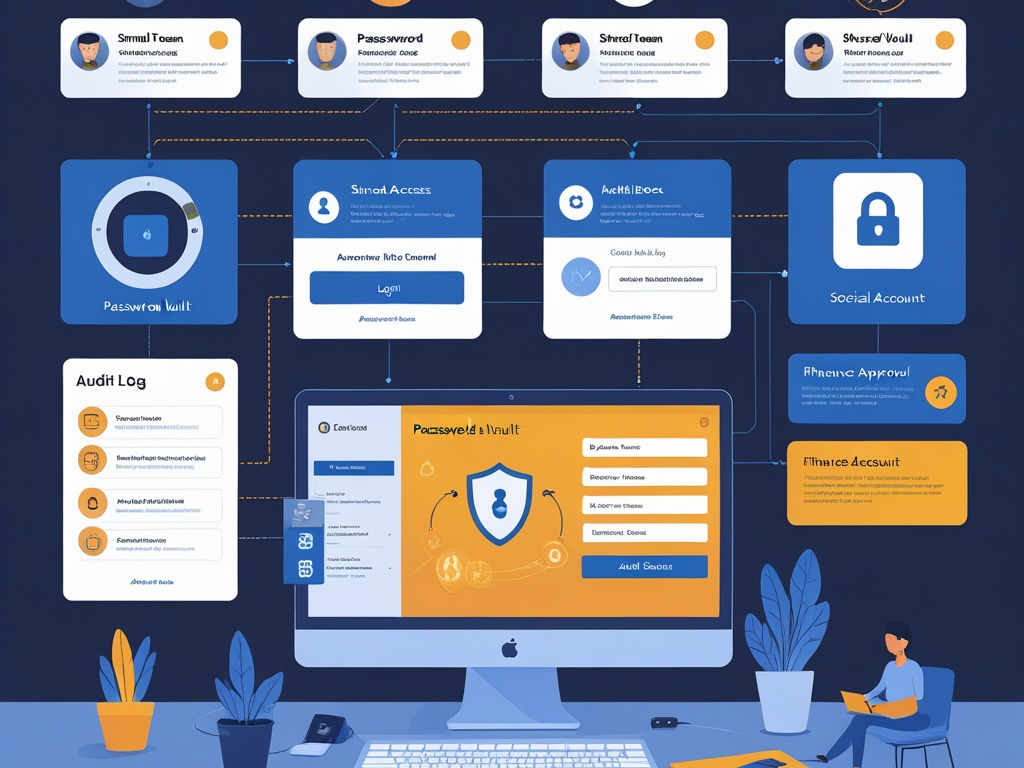
Small teams know shared accounts are messy. They still end up using them anyway.
The pattern shows up everywhere: a support inbox multiple people need to monitor, a social media login the marketing lead shares with a contractor, a finance portal that only supports one main owner, a storefront account created years ago under one person's email, or an emergency admin credential everyone hopes not to touch until something breaks.
That is why shared accounts still matter in 2026. They are rarely anybody's ideal design. They are the residue of real work. The problem is that they quietly undermine accountability, offboarding, MFA, auditability, and incident response at the exact points where small businesses can least afford confusion.
Key Takeaway: The goal is not pretending shared accounts never exist. The goal is shrinking them aggressively, containing the ones you cannot avoid, and removing the guesswork around who used them, how they are protected, and when they should be retired.
Why shared-account risk keeps sticking around
Most businesses do not create shared accounts because they enjoy bad security habits. They create them because a workflow is awkward.
Common examples include:
- a shared support or sales mailbox
- social publishing tools used by employees and outside agencies
- ecommerce or ad-platform logins tied to one legacy owner
- finance or payroll workflows that route through a small set of privileged users
- IT or SaaS admin credentials kept for emergencies
- vendor-run systems that were never rebuilt around named identities
The operational logic is understandable. The security cost is usually delayed, which makes it easy to ignore.
Then a real event lands:
- an employee leaves and still knows the credential
- MFA approval goes to the wrong phone
- nobody can tell who changed a forwarding rule or billing setting
- a phishing hit on one person exposes a credential used by several people
- a contractor needs to be removed fast and the team realizes the login was never built for clean separation
This is one reason recent Hexon companion coverage has kept circling identity and access basics. Password manager and MFA rollout, browser hygiene, SaaS admin basics, and secure file sharing all touch the same truth: convenience becomes security debt when nobody owns the cleanup.
Start by naming what counts as a shared account
Teams often underestimate the problem because they define it too narrowly.
Shared-account risk is not only one password used by three employees. It also includes:
- inboxes where messages are handled through one credential
- break-glass admin accounts with loosely controlled recovery methods
- agency or contractor access that still depends on a common login
- accounts created under a former employee's email
- local SaaS logins that bypass your identity provider
- browser profiles that keep a powerful shared session alive on one device
If multiple people can act through one identity, or one identity can be transferred informally without clear records, treat it like a shared-account problem.
The practical checklist
You do not need a giant IAM program to improve this. You need a sequence of fixes that reduces ambiguity first.
1. Eliminate shared logins where the platform already supports named users
This is the easiest win, and many teams still skip it.
Before building policy around a shared account, ask whether the system actually needs one. In many SaaS platforms, teams keep sharing a login out of habit even though the product already supports:
- individual seats
- role-based access
- delegated access
- shared inbox collaboration
- approval workflows
- agency or guest access
If the platform can support individual identities, use them. Paying for one or two extra seats is usually cheaper than cleaning up an avoidable access incident later.
Common Mistake: Small teams treat license cost as the whole decision and ignore the hidden cost of offboarding, investigations, and delayed recovery when a shared login goes wrong.
2. Keep a short inventory of the shared accounts you cannot eliminate yet
If a shared account still exists, it should be visible.
For each unavoidable shared credential, document:
- what the account is for
- which system it lives in
- who owns it internally
- who is allowed to use it
- what MFA method protects it
- where the credential is stored
- what event should trigger review or retirement
This does not need to be a giant spreadsheet. Even a short controlled list is better than tribal knowledge in chat threads.
If the account has no clear business owner, that is already a signal that it should be redesigned or removed.
3. Move the credential into an approved business password manager
Shared accounts should never live in personal notes, old onboarding docs, sticky passwords in browsers, or direct messages.
The safer baseline is simple:
- store the credential in an approved business vault
- grant access through vault permissions, not ad hoc copying
- require the team to retrieve the login from the vault when needed
- remove direct access quickly when roles change
- rotate the password after risky events instead of hoping everyone stops using the old one
This is where a lot of small-team improvement happens fast. A password manager will not fix the architectural issue by itself, but it turns an invisible shared secret into something you can actually govern.
4. Prefer individual entry paths even when the target system is shared
In some workflows, the system destination is shared but the access path does not have to be.
Examples:
- a shared support inbox managed through individual identities
- a social publishing tool where employees and agencies have separate seats
- an ecommerce platform accessed through delegated admin roles
- a finance workflow where approval and release actions happen through named users instead of one generic operator login
This matters because accountability comes from the identity that enters the workflow, not only from the system being used.
If you can preserve individual authentication at the edge, you reduce a lot of downstream confusion.
5. Treat MFA and recovery methods like part of the risk, not an afterthought
Teams often protect a shared account with MFA and then stop thinking. That is not enough.
Ask a few blunt questions:
- whose device receives the prompt
- where do backup codes live
- who can reset the MFA method
- what happens if the owner is unavailable
- does a former employee still control any recovery channel
These are not edge cases. They are where shared accounts usually become brittle.
For high-value shared accounts:
- avoid SMS when stronger methods exist
- keep recovery material in controlled storage
- separate day-to-day access from recovery authority
- review the recovery path during offboarding and role changes
If recovery is informal, the account is still weak even if the password looks strong.
6. Give high-risk shared accounts extra friction on purpose
Not every shared account deserves the same treatment.
A shared social publishing login and a shared cloud admin login do not carry the same blast radius. Put the highest-friction controls where the consequences are real:
- finance and payroll systems
- domain registrars
- cloud consoles
- password manager emergency accounts
- email admin or tenant-level accounts
- ad accounts with billing authority
For those systems, consider:
- separate approval before use
- a dedicated admin browser profile
- check-out procedures through the vault
- faster credential rotation after use
- a short log of who accessed the account and why
Yes, that adds overhead. It should. If one shared credential can move money, redirect email, reset users, or change DNS, convenience should lose.
7. Fix shared inboxes and collaboration workflows without falling back to password sharing
Shared inboxes are one of the most common sources of sloppy identity behavior.
The temptation is obvious: one mailbox, one password, multiple people. The better path is usually:
- shared mailbox or delegated mailbox features
- help desk or ticketing systems with individual agents
- alias-based routing instead of one generic login
- channel ownership tied to named users
This matters because inboxes often become the approval center for password resets, invoices, customer escalations, vendor threads, and legal documents. If multiple people use one mailbox credential casually, the inbox becomes both the communication hub and the trust bypass.
That is a dangerous combination.
8. Clean up contractor and agency access before it turns into a permanent workaround
Many shared accounts survive because a contractor needed access quickly and the temporary path became normal.
Review any workflow where outside parties touch:
- social accounts
- analytics tools
- ad platforms
- website management
- support systems
- design or file repositories
Then ask:
- can they get named access instead
- can their access be time-bounded
- does an internal employee still own the relationship
- would offboarding them require a password rotation today
If the honest answer to the last question is yes, you are carrying unnecessary risk.
This overlaps directly with vendor access risk. Shared credentials are often the least mature form of third-party access because they blur responsibility from the start.
9. Make auditability real enough to survive an incident
The hardest part of shared-account cleanup is usually not prevention. It is reconstruction.
After a suspicious action, you need to know:
- who accessed the account recently
- whether the credential was rotated
- whether the MFA method changed
- whether a browser session or token stayed active
- whether the action came through a shared login or a named delegated user
If your answer is "we are not really sure," the problem is not only the password. It is the lack of usable records.
At minimum, high-risk shared workflows should have:
- platform audit logs enabled
- vault access history where supported
- a named owner who reviews strange events
- a rotation trigger after phishing, departure, or contractor exit
You do not need perfect visibility. You do need enough visibility to avoid guessing during the first hour of an incident.
10. Build an exit plan for every shared account
A shared account should never be treated as permanent just because it has survived this long.
For each one, decide which of these futures applies:
- eliminate it by moving to named users
- contain it as a controlled emergency-only credential
- replace it during the next platform migration
- keep it temporarily with a defined retirement date
This matters because unmanaged exceptions tend to become invisible infrastructure. Once that happens, nobody budgets time to unwind them until something breaks.
Pro Tip: If a shared account has existed for years, do not ask whether it feels normal. Ask whether you would deliberately design that workflow that way today. If not, it belongs on the cleanup list.
A realistic 30-day cleanup plan
If shared-account sprawl is already baked into the business, start with a short reset:
Week 1
- inventory every known shared credential
- identify which ones touch finance, admin, domains, cloud, or customer data
- assign one internal owner to each remaining shared account
Week 2
- move credentials into the approved vault
- review MFA, recovery methods, and backup codes
- remove access for former staff, vendors, or agencies that no longer need it
Week 3
- replace easy cases with named-user access
- fix shared inbox or social workflows that can move to delegated access
- rotate the highest-risk passwords
Week 4
- document ongoing review triggers
- define the emergency-use process for break-glass accounts
- set retirement targets for the remaining exceptions
That is not glamorous security work. It is still the kind of cleanup that prevents expensive confusion later.
Final takeaway
Shared accounts are not only a password problem. They are an accountability problem, a recovery problem, an offboarding problem, and often a quiet trust problem hiding inside ordinary workflows.
Small teams do not have to solve that by banning every exception overnight. They do need to stop treating shared credentials as harmless convenience. The defensible path in 2026 is clear: fewer shared accounts, tighter storage, stronger recovery controls, better records, and a visible plan to retire the ones that should not survive another year.