ShareFile Storage Zone Controller threat became an urgent security story on July 10, 2026, when BleepingComputer reported that Progress had told affected customers to shut down the Windows servers running their on-premises controllers. That is not a routine patch message. It is an emergency instruction aimed at systems that sit at the edge of the network and broker access between ShareFile's cloud controls and a company's own storage.
That matters right now because hybrid file-sharing infrastructure tends to hold exactly the data attackers want most: contracts, customer records, finance exports, legal documents, HR files, and ad hoc folders that were never meant to be publicly reachable. When the vendor's safest immediate guidance is "turn it off," the lesson is bigger than one product. It is about what happens when a convenience layer becomes a trust bridge.
Key Takeaway: The risk is not only the unknown ShareFile threat itself. The bigger problem is that a single internet-facing controller can connect cloud identities, local storage, and sensitive files into one compromise path.
Why the ShareFile Storage Zone Controller threat matters now
The freshness gate is clear. The main hook source is BleepingComputer, published on July 10, 2026. Same-day or older materials are supporting context only.
What makes this stronger than a generic outage story is the combination of three signals:
- Progress told customers to shut down servers, not just patch them
- the affected systems are usually internet-facing edge nodes
- the company has not yet disclosed the exact threat
That combination changes the operating posture. This is not "schedule maintenance when the team is free." It is "assume your file-transfer bridge may be exposed until the vendor can explain the threat, confirm the safe state, and tell you what to inspect."
According to The Hacker News, Progress also disabled access for affected accounts and confirmed the disruption on its status page while saying it had no indication of unauthorized access to ShareFile accounts or data. That wording matters. It does not confirm a breach, but it also does not prove the controllers themselves are clean.
Common Mistake: Teams hear "no indication of unauthorized access" and treat it as a clean bill of health. It is only a statement about what the vendor currently knows, not proof that every exposed controller is safe to restart.
What a Storage Zone Controller actually does
To understand the risk, you need to understand the architecture.
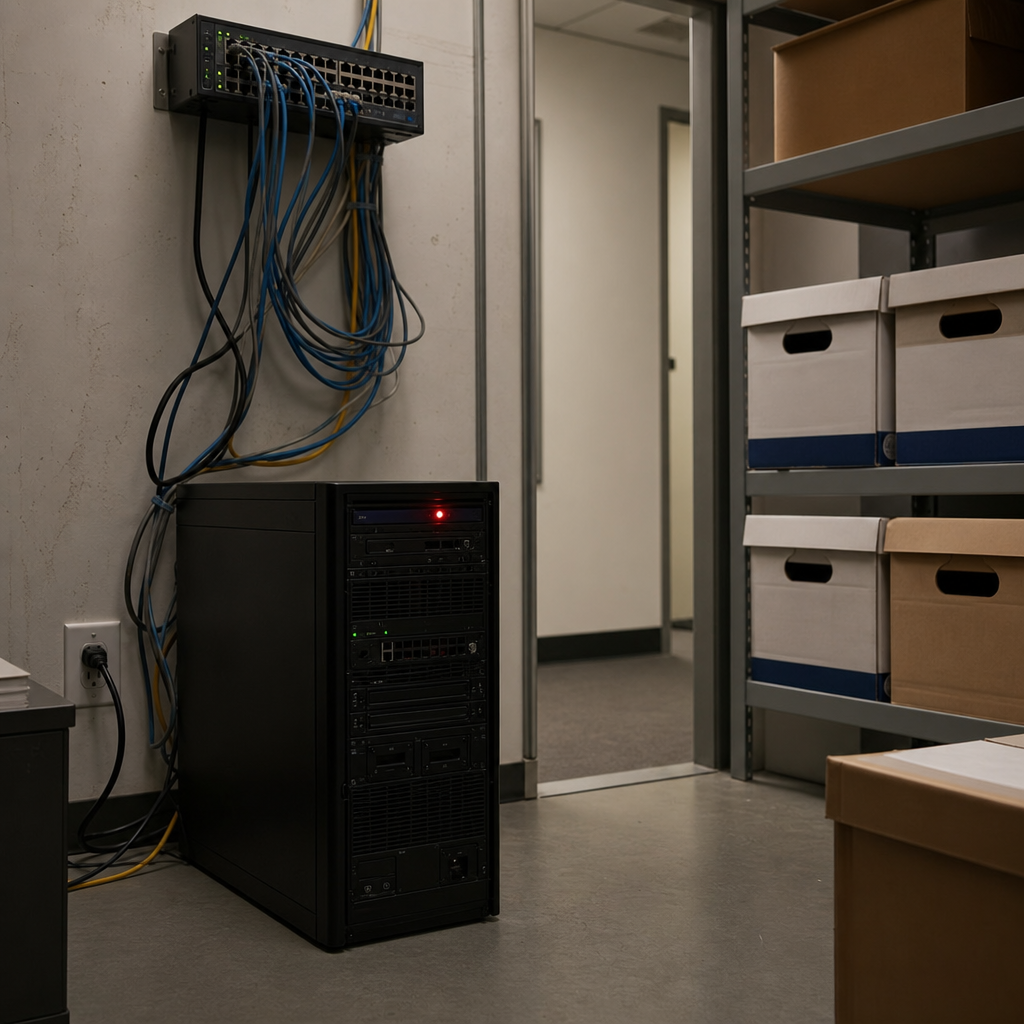
A ShareFile Storage Zone Controller is not just another internal Windows server. It is the piece that lets an organization keep files on its own storage while still using ShareFile's cloud services for authentication, sharing, collaboration, and user management. In practice, that makes the controller a translation layer between cloud workflows and on-premises data.
When a user uploads or downloads a file, the request does not stay neatly inside one environment. The cloud service helps handle identity and coordination, while the controller reaches into customer-managed storage and moves the data where it needs to go. That is why these systems are often reachable from the internet and why they deserve stricter scrutiny than ordinary file servers.
Why hybrid architecture changes the blast radius
Hybrid file-sharing design looks attractive because it promises the best of both worlds:
- cloud convenience for user management and external sharing
- local control over where files live
- easier fit for compliance or residency needs
The tradeoff is that the controller becomes a high-value junction point. If an attacker reaches it, the attacker may not need to break the cloud tenant and the storage backend separately. The controller already sits between them.
That is what makes the ShareFile Storage Zone Controller threat strategically important. The product feature that makes hybrid file sharing convenient is the same feature that can turn one exposed node into a much broader business problem.
Key Stat: Progress did not tell customers to disable a feature or rotate one setting. It told them to power down the servers running the controllers entirely. That is an unusually strong response for enterprise collaboration software.
%22%2F%3E%0A%20%20%3Ccircle%20cx%3D%221270%22%20cy%3D%22180%22%20r%3D%22210%22%20fill%3D%22rgba(123%2C%20215%2C%20255%2C%200.18)%22%2F%3E%0A%20%20%3Ccircle%20cx%3D%22310%22%20cy%3D%22710%22%20r%3D%22250%22%20fill%3D%22rgba(52%2C%20211%2C%20153%2C%200.10)%22%2F%3E%0A%20%20%3Cpath%20d%3D%22M160%20708C340%20574%20498%20531%20653%20566C828%20605%20941%20504%201086%20418C1191%20355%201308%20317%201440%20332%22%20stroke%3D%22%237bd7ff%22%20stroke-width%3D%2210%22%20stroke-linecap%3D%22round%22%20opacity%3D%220.85%22%2F%3E%0A%20%20%3Cpath%20d%3D%22M160%20640H1440%22%20stroke%3D%22rgba(255%2C255%2C255%2C0.08)%22%20stroke-width%3D%222%22%2F%3E%0A%20%20%3Cpath%20d%3D%22M160%20298H1440%22%20stroke%3D%22rgba(255%2C255%2C255%2C0.08)%22%20stroke-width%3D%222%22%2F%3E%0A%20%20%3Crect%20x%3D%22160%22%20y%3D%22142%22%20width%3D%22174%22%20height%3D%2236%22%20rx%3D%2218%22%20fill%3D%22rgba(123%2C%20215%2C%20255%2C%200.18)%22%20stroke%3D%22%237bd7ff%22%2F%3E%0A%20%20%3Ctext%20x%3D%22247%22%20y%3D%22166%22%20text-anchor%3D%22middle%22%20fill%3D%22%23D9F4FF%22%20font-size%3D%2218%22%20font-family%3D%22Arial%2C%20Helvetica%2C%20sans-serif%22%20letter-spacing%3D%222%22%3ECYBERSECURITY%3C%2Ftext%3E%0A%20%20%3Ctext%20x%3D%22160%22%20y%3D%22392%22%20fill%3D%22%23F7FBFF%22%20font-size%3D%2266%22%20font-weight%3D%22700%22%20font-family%3D%22Arial%2C%20Helvetica%2C%20sans-serif%22%3EWhy%20a%20forced%20shutdown%20is%20a%3C%2Ftext%3E%0A%20%20%3Ctext%20x%3D%22160%22%20y%3D%22470%22%20fill%3D%22%23F7FBFF%22%20font-size%3D%2266%22%20font-weight%3D%22700%22%20font-family%3D%22Arial%2C%20Helvetica%2C%20sans-serif%22%3Ebigger%20signal%20than%20a%20normal%3C%2Ftext%3E%0A%20%20%3Ctext%20x%3D%22160%22%20y%3D%22554%22%20fill%3D%22%23A8B8C8%22%20font-size%3D%2228%22%20font-family%3D%22Arial%2C%20Helvetica%2C%20sans-serif%22%3EShareFile%20Storage%20Zone%20Controller%20Threat%3A%3C%2Ftext%3E%0A%20%20%3Crect%20x%3D%221080%22%20y%3D%22420%22%20width%3D%22274%22%20height%3D%22182%22%20rx%3D%2222%22%20fill%3D%22%230E2231%22%20stroke%3D%22rgba(255%2C255%2C255%2C0.10)%22%2F%3E%0A%20%20%3Crect%20x%3D%221120%22%20y%3D%22458%22%20width%3D%22112%22%20height%3D%2218%22%20rx%3D%229%22%20fill%3D%22%237bd7ff%22%20opacity%3D%220.9%22%2F%3E%0A%20%20%3Crect%20x%3D%221120%22%20y%3D%22498%22%20width%3D%22180%22%20height%3D%2212%22%20rx%3D%226%22%20fill%3D%22rgba(255%2C255%2C255%2C0.2)%22%2F%3E%0A%20%20%3Crect%20x%3D%221120%22%20y%3D%22526%22%20width%3D%22146%22%20height%3D%2212%22%20rx%3D%226%22%20fill%3D%22rgba(255%2C255%2C255%2C0.14)%22%2F%3E%0A%20%20%3Crect%20x%3D%221120%22%20y%3D%22554%22%20width%3D%2288%22%20height%3D%2212%22%20rx%3D%226%22%20fill%3D%22rgba(255%2C255%2C255%2C0.12)%22%2F%3E%0A%20%20%3Ccircle%20cx%3D%221340%22%20cy%3D%22522%22%20r%3D%2244%22%20fill%3D%22rgba(123%2C%20215%2C%20255%2C%200.18)%22%20stroke%3D%22%237bd7ff%22%2F%3E%0A%20%20%3Cpath%20d%3D%22M1322%20522L1336%20536L1360%20506%22%20stroke%3D%22%237bd7ff%22%20stroke-width%3D%228%22%20stroke-linecap%3D%22round%22%20stroke-linejoin%3D%22round%22%2F%3E%0A%20%20%3Ctext%20x%3D%22160%22%20y%3D%22748%22%20fill%3D%22%237BD7FF%22%20font-size%3D%2222%22%20font-family%3D%22Arial%2C%20Helvetica%2C%20sans-serif%22%20letter-spacing%3D%223%22%3EHEXON%20%2F%2F%20SUPPORTING%20VISUAL%3C%2Ftext%3E%0A%3C%2Fsvg%3E)
Why a forced shutdown is a bigger signal than a normal patch notice
Security teams see patch advisories constantly. Most of them follow a familiar pattern: identify versions, apply update, verify service, move on.
This incident does not look like that. A forced shutdown usually suggests at least one of the following:
- there is no safe patch available yet
- the vendor cannot rule out ongoing exploitation
- a deeper trust issue exists in how the component is exposed
- compensating controls are weaker than taking the node offline
None of that proves a zero-day. It does show that the vendor believes continued operation creates more risk than immediate downtime.
For small and mid-sized organizations, that is the part worth paying attention to. Outage pain is expensive. Vendors do not casually recommend that customers shut down an operational file-sharing tier unless they think the security downside of leaving it online is worse.
This is also why older context still matters. ShareFile's Storage Zone Controller has had critical security issues before, including earlier pre-auth flaws that watchTowr detailed in April. That does not prove the current threat is the same issue. It does remind defenders that internet-facing transfer and sync components are frequent attacker targets because they sit close to sensitive content and often run with broad file access.
What ShareFile admins should do before bringing anything back online
If your environment uses Storage Zone Controllers, the first move is simple: follow the shutdown guidance. Do not improvise your own exception because the business wants the service back quickly.
After that, the right question is not "how fast can we restore access?" It is "what evidence do we need before we trust this node again?"
Immediate 24-hour checklist
Start with the basics:
- Confirm which servers actually host Storage Zone Controllers and whether any are still reachable from the internet.
- Preserve logs before making cleanup changes, including web logs, Windows event logs, EDR telemetry, reverse proxy records, and firewall flows.
- Record the currently installed ShareFile version, IIS configuration, related service accounts, and storage paths.
- Review for unfamiliar files, especially newly created .aspx files, modified upload paths, scheduled tasks, odd child processes, or unexpected outbound connections.
- Freeze nonessential changes until the vendor explains the threat and your team has a defensible recovery plan.
Those steps are not glamorous, but they prevent the worst operational mistake: wiping away your own evidence in the rush to resume service.
Pro Tip: Treat any internet-facing hybrid file-sharing node like an incident-response system first and a business app second. Preserve state before you patch, reboot, or rebuild.
What to review if compromise is suspected
If you find signs of tampering, broaden the scope quickly.
Review:
- which service accounts the controller used
- what storage shares or folders it could read and write
- whether customer or partner links were active during the exposure window
- whether admin or help-desk accounts logged in from unusual locations
- whether files were staged, compressed, renamed, or copied in bulk
This is where the controller's role as a trust bridge becomes operationally painful. A compromise might not stop at the controller itself. It can spill into local storage, connected authentication flows, support workflows, and external file-sharing relationships.
That is why this story belongs next to Hexon's earlier guidance on secure file sharing at work, SaaS admin basics for small businesses, small business cybersecurity policy, and endpoint hygiene for small businesses. The product name is specific, but the operating lesson is general: risky edge systems fail hardest when nobody clearly owns their exposure, logging, and recovery plan.
%22%2F%3E%0A%20%20%3Ccircle%20cx%3D%221270%22%20cy%3D%22180%22%20r%3D%22210%22%20fill%3D%22rgba(167%2C%20139%2C%20250%2C%200.18)%22%2F%3E%0A%20%20%3Ccircle%20cx%3D%22310%22%20cy%3D%22710%22%20r%3D%22250%22%20fill%3D%22rgba(52%2C%20211%2C%20153%2C%200.10)%22%2F%3E%0A%20%20%3Cpath%20d%3D%22M160%20708C340%20574%20498%20531%20653%20566C828%20605%20941%20504%201086%20418C1191%20355%201308%20317%201440%20332%22%20stroke%3D%22%23a78bfa%22%20stroke-width%3D%2210%22%20stroke-linecap%3D%22round%22%20opacity%3D%220.85%22%2F%3E%0A%20%20%3Cpath%20d%3D%22M160%20640H1440%22%20stroke%3D%22rgba(255%2C255%2C255%2C0.08)%22%20stroke-width%3D%222%22%2F%3E%0A%20%20%3Cpath%20d%3D%22M160%20298H1440%22%20stroke%3D%22rgba(255%2C255%2C255%2C0.08)%22%20stroke-width%3D%222%22%2F%3E%0A%20%20%3Crect%20x%3D%22160%22%20y%3D%22142%22%20width%3D%22174%22%20height%3D%2236%22%20rx%3D%2218%22%20fill%3D%22rgba(167%2C%20139%2C%20250%2C%200.18)%22%20stroke%3D%22%23a78bfa%22%2F%3E%0A%20%20%3Ctext%20x%3D%22247%22%20y%3D%22166%22%20text-anchor%3D%22middle%22%20fill%3D%22%23D9F4FF%22%20font-size%3D%2218%22%20font-family%3D%22Arial%2C%20Helvetica%2C%20sans-serif%22%20letter-spacing%3D%222%22%3ECYBERSECURITY%3C%2Ftext%3E%0A%20%20%3Ctext%20x%3D%22160%22%20y%3D%22392%22%20fill%3D%22%23F7FBFF%22%20font-size%3D%2266%22%20font-weight%3D%22700%22%20font-family%3D%22Arial%2C%20Helvetica%2C%20sans-serif%22%3EThe%20larger%20lesson%3A%20hybrid%3C%2Ftext%3E%0A%20%20%3Ctext%20x%3D%22160%22%20y%3D%22470%22%20fill%3D%22%23F7FBFF%22%20font-size%3D%2266%22%20font-weight%3D%22700%22%20font-family%3D%22Arial%2C%20Helvetica%2C%20sans-serif%22%3Efile-sharing%20nodes%20become%3C%2Ftext%3E%0A%20%20%3Ctext%20x%3D%22160%22%20y%3D%22554%22%20fill%3D%22%23A8B8C8%22%20font-size%3D%2228%22%20font-family%3D%22Arial%2C%20Helvetica%2C%20sans-serif%22%3EShareFile%20Storage%20Zone%20Controller%20Threat%3A%3C%2Ftext%3E%0A%20%20%3Crect%20x%3D%221080%22%20y%3D%22420%22%20width%3D%22274%22%20height%3D%22182%22%20rx%3D%2222%22%20fill%3D%22%230E2231%22%20stroke%3D%22rgba(255%2C255%2C255%2C0.10)%22%2F%3E%0A%20%20%3Crect%20x%3D%221120%22%20y%3D%22458%22%20width%3D%22112%22%20height%3D%2218%22%20rx%3D%229%22%20fill%3D%22%23a78bfa%22%20opacity%3D%220.9%22%2F%3E%0A%20%20%3Crect%20x%3D%221120%22%20y%3D%22498%22%20width%3D%22180%22%20height%3D%2212%22%20rx%3D%226%22%20fill%3D%22rgba(255%2C255%2C255%2C0.2)%22%2F%3E%0A%20%20%3Crect%20x%3D%221120%22%20y%3D%22526%22%20width%3D%22146%22%20height%3D%2212%22%20rx%3D%226%22%20fill%3D%22rgba(255%2C255%2C255%2C0.14)%22%2F%3E%0A%20%20%3Crect%20x%3D%221120%22%20y%3D%22554%22%20width%3D%2288%22%20height%3D%2212%22%20rx%3D%226%22%20fill%3D%22rgba(255%2C255%2C255%2C0.12)%22%2F%3E%0A%20%20%3Ccircle%20cx%3D%221340%22%20cy%3D%22522%22%20r%3D%2244%22%20fill%3D%22rgba(167%2C%20139%2C%20250%2C%200.18)%22%20stroke%3D%22%23a78bfa%22%2F%3E%0A%20%20%3Cpath%20d%3D%22M1322%20522L1336%20536L1360%20506%22%20stroke%3D%22%23a78bfa%22%20stroke-width%3D%228%22%20stroke-linecap%3D%22round%22%20stroke-linejoin%3D%22round%22%2F%3E%0A%20%20%3Ctext%20x%3D%22160%22%20y%3D%22748%22%20fill%3D%22%237BD7FF%22%20font-size%3D%2222%22%20font-family%3D%22Arial%2C%20Helvetica%2C%20sans-serif%22%20letter-spacing%3D%223%22%3EHEXON%20%2F%2F%20SUPPORTING%20VISUAL%3C%2Ftext%3E%0A%3C%2Fsvg%3E)
The larger lesson: hybrid file-sharing nodes become trust bridges
Many organizations still think about file-sharing tools as low-drama utilities. That mindset is outdated.
Modern file-sharing platforms often sit in the path of:
- customer document exchange
- legal approvals
- procurement packets
- HR onboarding material
- finance exports
- support attachments
- contractor collaboration
That means an attacker does not need domain-admin control to create serious damage. Access to one trusted file-sharing bridge may be enough to steal sensitive files, impersonate the business in shared workflows, or plant malicious content where other users expect safe documents.
The same pattern has shown up repeatedly in file-transfer incidents over the last few years. Attackers favor these systems because they mix three qualities defenders often underestimate:
- valuable data concentration
- external reachability
- administrative neglect caused by "set it and forget it" ownership
When a hybrid controller runs quietly for months, it stops feeling like exposed infrastructure. That is exactly when it becomes dangerous.
Key Takeaway: If a product brokers traffic between external users, cloud identity, and local files, it is not a background utility. It is part of your security perimeter whether you planned for that or not.
How small teams should reduce future file-sharing risk
Even if you do not use ShareFile, the design lessons here apply to any mixed cloud and self-hosted sharing workflow.
1. Minimize internet-facing bridge nodes
If a component exists mainly to connect outside users to internal storage, assume it needs extra hardening, extra monitoring, and a shorter patch window than ordinary line-of-business software.
Ask whether the bridge must be exposed at all, whether network access can be narrowed, and whether the business would be safer using a fully managed option for the most sensitive workflows.
2. Separate file-sharing convenience from broad privilege
A controller should not have more reach than it truly needs. Limit:
- service-account rights
- accessible storage paths
- management access
- lateral network connectivity
- local administrative permissions
Least privilege matters here because the blast radius is otherwise defined by everything the bridge can touch.
3. Make log preservation part of the recovery plan
Many teams know how to restart a broken service. Fewer know how to preserve evidence before doing it.
Write down the order now: isolate, preserve logs, snapshot state where possible, review access, then rebuild or patch. If the first response to a security scare is random cleanup, the organization will lose the very data it needs to understand what happened.
4. Test the shutdown decision before the emergency arrives
The hardest part of this incident for many teams is not technical. It is operational.
Could the business tolerate taking the controller offline for a day? Who approves that decision? Which customers need a fallback path? If those answers do not exist until the morning of the incident, the security response will be slower and noisier than it needs to be.
What this incident should change in your environment this week
If this story feels uncomfortably familiar, use it as a forcing function.
Do these five things:
- Inventory every internet-facing file-transfer, sync, and collaboration bridge in your environment.
- Verify who owns each one, what data it can reach, and which logs are retained.
- Confirm whether recovery depends on one person, one vendor email, or one undocumented server.
- Review whether those systems can create, modify, or serve files in ways attackers could abuse.
- Decide in advance which services get shut down first if the vendor signals an active threat.
This is boring work. It is also the difference between an orderly response and a confused scramble when the next emergency advisory lands.
Final takeaway
The ShareFile Storage Zone Controller threat is not yet a fully explained breach story. That uncertainty is exactly why it matters.
When a vendor orders customers to take down internet-facing hybrid file-sharing servers, defenders should focus on the architectural lesson, not only the missing CVE or patch note. A bridge between cloud workflows and local storage is a concentrated trust point. If it is exposed, under-owned, or weakly monitored, one incident can quickly become a company-wide problem.
The practical takeaway is simple: treat hybrid file-sharing controllers like perimeter infrastructure, preserve evidence before cleanup, and assume convenience layers deserve the same rigor as VPNs, admin portals, and externally reachable identity systems.