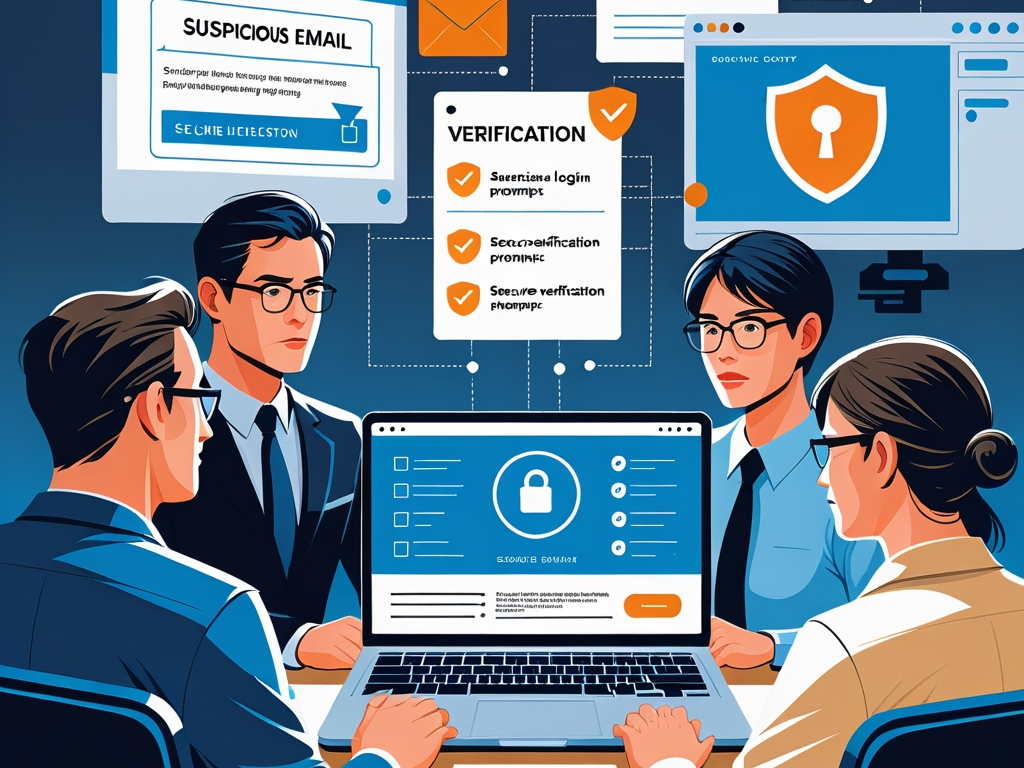
Phishing still works because it is designed for normal workdays, not lab conditions.
Attackers do not need every employee to understand headers, malware chains, or identity protocols. They need one busy person to approve a login, open a shared file, pay the wrong invoice, or trust a message that feels routine enough to slide past suspicion. That is why phishing defense for non-technical teams is still one of the highest-return security jobs in 2026.
Most smaller companies already know this in theory. The problem is that many phishing programs still rely on stale advice, awkward annual training, or the vague instruction to "be careful" around email. That is not a defense plan. It is a hope strategy.
The better approach is to assume non-technical teams will keep moving fast, keep using SaaS tools, keep handling approvals, and keep getting targeted. Your job is to make the safest action the easiest one in the moment.
Key Takeaway: Good phishing defense for non-technical teams is not mainly about teaching people to spot clever scams. It is about reducing trust shortcuts around email, logins, attachments, invoices, and urgent requests before one rushed click turns into a real incident.
Why this matters more now
Phishing has become more polished at exactly the same time work has become more fragmented.
Employees jump between email, chat, file-sharing links, e-signature tools, AI assistants, support portals, HR systems, and payment requests all day long. Attackers understand that workflow better than many defenders do. They no longer need a cartoonish fake bank email. A believable message about a shared document, benefits update, MFA reset, billing correction, or vendor request is often enough.
AI also makes the social layer cleaner. Messages are less sloppy, more personalized, and easier to localize. That does not mean every attack is advanced. It means more low-cost attacks can now look professionally written.
This is why phishing defense belongs in the same broader operating conversation as password manager and MFA rollout, browser hygiene at work, and safe AI use at work. The theme is consistent: employees are being asked to move quickly across too many trust surfaces at once.
Stop treating phishing as only an email problem
One reason programs underperform is that they frame phishing too narrowly.
The real risk includes:
- email links and attachments
- fake login prompts
- file-sharing invitations
- business chat impersonation
- invoice and payment fraud
- MFA approval fatigue
- fake support outreach
- calendar invites and collaboration requests
If your policy and training only talk about suspicious email language, you are defending the 2018 version of the problem.
Non-technical teams need a simpler mental model: if a message asks you to log in, open, approve, pay, share, reset, or bypass something, it deserves a quick verification step.
1. Build one reporting path that people will actually use
Most employees will not report suspicious messages if the process feels awkward or unclear.
They need one obvious route:
- a report-phishing button in the inbox when available
- a shared security or IT address for manual forwarding
- a clear chat channel for internal questions
- one short instruction on what to do after reporting
The goal is not to create a perfect incident intake process. The goal is to reduce hesitation. If staff spend three minutes wondering whether something is "serious enough" to report, many will simply delete the message and move on. That wastes visibility.
You want people to think: "This looks off. I know exactly where it goes."
Common Mistake: Telling employees to report suspicious messages while giving them no quick path from Outlook, Gmail, or mobile mail. Policy without workflow support does not change behavior.
2. Tighten identity controls so one mistake is less catastrophic
Phishing awareness matters, but identity controls decide how expensive a mistake becomes.
That means:
- enforce MFA on core systems
- prefer phishing-resistant methods for higher-value accounts
- reduce password reuse through an approved password manager
- review recovery methods and backup codes
- limit standing admin access
This is the part many organizations under-explain. Employees often hear that MFA is important, but not why it matters specifically for phishing. The answer is simple: better identity controls mean one stolen password or one fake login page does not always become full account takeover.
If your team still has shared inboxes, high-value admins, or finance users on weak sign-in flows, phishing defense is weaker than the training deck suggests.
3. Give finance, HR, and operations stricter verification rules
Not every team faces the same phishing consequences.
Some groups receive more dangerous requests than others:
- finance gets invoices, wire requests, and vendor changes
- HR gets payroll updates, benefits changes, and document requests
- operations gets account recovery, access, and workflow exceptions
- executive assistants get calendar, travel, and payment pressure
These functions need a slightly different rule set. For example:
- payment detail changes require out-of-band verification
- urgent wire or gift-card requests are never approved from email alone
- payroll or direct-deposit changes require a second channel check
- access resets for privileged accounts require clear ownership
This is not bureaucracy for its own sake. It is where phishing does some of its most expensive damage.
4. Reduce fake-login success with better browser habits
Many phishing attacks now succeed at the browser layer rather than through obvious malware.
Employees click a link, see a believable sign-in page, and proceed because the request fits the moment. That is why browser hygiene matters operationally:
- keep work activity in a managed browser profile
- remove unneeded extensions
- avoid signing into business tools from random personal profiles
- teach employees to pause on unexpected login prompts
- use password-manager autofill as a signal when possible
One practical habit helps more than long lectures: if a link leads to a login page you did not expect, stop and open the service directly from a known bookmark or typed URL instead.
That advice is easier for non-technical staff to follow than a deep explanation of domains, redirects, or certificate chains.
5. Train people on the requests that matter, not just the wording
Many phishing simulations focus too much on visual clues and not enough on risky actions.
A better training pattern centers on request types:
- "review this shared file"
- "sign in again to keep access"
- "approve this MFA prompt"
- "pay this invoice today"
- "buy these gift cards"
- "send me the employee list"
- "share the backup codes"
That shift matters because real messages may look clean and professional. Employees do not need to become amateur forensic analysts. They need to recognize when a request touches money, credentials, sensitive data, or account control.
6. Normalize slowdowns around urgency
Urgency is still one of the most reliable phishing tools because it overrides normal skepticism.
Non-technical teams need explicit permission to slow down when a message creates pressure:
- today-only payment deadline
- executive request marked confidential
- threat of account suspension
- payroll issue that "must" be fixed immediately
- document review before an urgent meeting
If the culture rewards speed without review, employees will act first and explain later. That is exactly the environment phishing operators want.
One useful internal rule is simple: urgency never removes the need to verify. It increases it.
7. Treat collaboration tools like part of the attack surface
Email is not the only channel where impersonation happens.
Attackers increasingly imitate normal work inside:
- Slack or Teams messages
- file-share notifications
- electronic signature flows
- help desk or IT messages
- SMS-based follow-ups
That means your phishing baseline should cover collaboration behavior too:
- verify unusual requests from internal chat contacts
- be skeptical of first-time direct messages asking for access or payment
- confirm unexpected file-share invites before opening them
- route support issues through the normal IT path instead of ad hoc chat fixes
This matters because many employees trust internal-looking collaboration tools more than email, even when the sender context is weaker.
8. Protect the moments after a click
No program eliminates every bad click.
So the environment should help contain mistakes:
- endpoint protection on work devices
- browser and OS updates kept current
- alerting on unusual login patterns
- quick sign-out and password reset paths
- clear instructions for what to do after entering credentials on a suspicious page
Employees should know that reporting after a mistake is the right move, not an embarrassing one. If people fear blame, they hide the event and increase the damage window.
That is a leadership problem as much as a security one.
Pro Tip: Tell staff explicitly that "I clicked and I am not sure" is a useful report. Early uncertainty is often easier to contain than delayed certainty.
9. Give managers a script for reinforcement
Managers often shape team habits more than formal training does.
If managers casually forward urgent requests, approve weak workarounds, or expect immediate action on every message, the team will absorb that standard. On the other hand, if managers repeat a few durable norms, employees usually follow them:
- verify unexpected money requests
- do not trust surprise login prompts
- ask before sharing sensitive files
- report suspicious messages quickly
- use approved tools, not improvised ones
This is especially important for teams with seasonal staff, contractors, or new joiners who may not yet understand the company's trust boundaries.
10. Measure the operational basics
You do not need a giant awareness platform to tell whether your phishing defense is improving.
Track a few simple indicators:
- how many suspicious messages get reported
- how fast reports reach IT or security
- which teams receive the most high-risk requests
- whether finance and HR verification rules are being followed
- how often MFA prompts or reset requests create confusion
These metrics will not make for a flashy board slide, but they do tell you whether the organization is getting easier or harder to trick.
A practical baseline for small and growing teams
If your company needs a starting point, keep it plain:
- Turn on the easiest phishing-reporting path in the inbox.
- Require MFA on core systems and clean up weak recovery settings.
- Standardize one password manager for work accounts.
- Create extra payment and payroll verification steps.
- Keep work browsing inside a managed profile.
- Train on risky requests, not just suspicious wording.
- Tell employees to report mistakes immediately without fear of punishment.
That is already stronger than many companies' current setup.
Why this topic deserves steady attention
Phishing can feel too basic to revisit, especially when security teams are also dealing with AI, SaaS sprawl, vendor risk, and identity complexity. That instinct is understandable but wrong.
Phishing remains one of the simplest ways to turn normal business operations into an incident. It does not require the attacker to beat your best engineer. It requires them to fool the person who happened to be moving fastest at the wrong moment.
That is why practical phishing defense is still worth publishing, still worth improving, and still worth treating as a business system rather than an annual awareness ritual.
Final takeaway
The strongest phishing defense for non-technical teams in 2026 is not a dramatic simulation program or a poster campaign about suspicious grammar.
It is a tighter operating model around trust: easier reporting, stronger sign-ins, safer browser behavior, better payment checks, and a culture where employees can pause, verify, and speak up quickly.
If your non-technical teams are handling email, payments, documents, HR changes, or SaaS access, they are already part of your security perimeter. The question is whether your workflows treat them that way before the next believable request lands in their inbox.