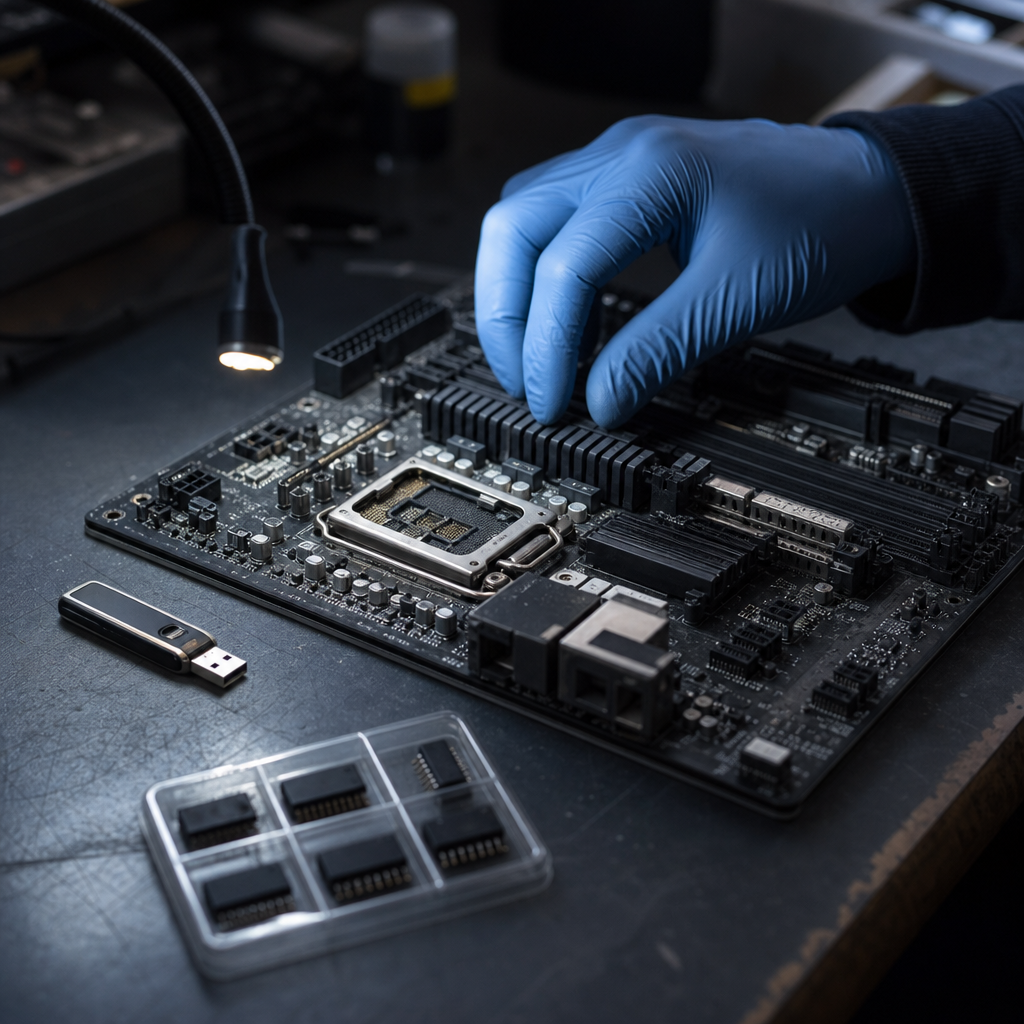
Secure Boot bypass risk became a same-day story on July 14, 2026, when ESET published new research showing that 11 old Microsoft-signed UEFI shim bootloaders can still be abused to run untrusted code during system boot. That matters now because this is not a niche Linux packaging problem. It is a trust-chain problem that can affect any UEFI-based machine that still trusts Microsoft's older third-party UEFI certificate path, regardless of which operating system is installed today.
If you have been treating Secure Boot as a quiet background control that was solved years ago, this report is a useful correction. The real story is that a forgotten trusted component can stay valid long enough to reopen the earliest stage of the boot process, which is exactly where defenders have the least visibility and attackers get some of their most durable persistence.
Key Takeaway: The July 14 ESET disclosure matters because the vulnerable shim binaries can be brought by the attacker, not just found on the victim, which turns an old boot artifact into a current fleet-wide trust problem.
Why Secure Boot bypass matters now
The freshness gate is straightforward. The main hook source is ESET's July 14, 2026 research publication. Older June revocation steps from Microsoft and CERT/CC are useful supporting context, but they are not the reason this story is timely today. The public ESET write-up is.
What makes this stronger than a routine firmware headline is the scope of the trust assumption that breaks:
- 11 old Microsoft-signed shim binaries remained usable as trust anchors
- exploitation can happen on UEFI systems that trust Microsoft's older third-party certificate
- attackers can bring their own vulnerable shim
- the abuse happens before the operating system fully takes over
That combination should get your attention even if you do not run a large Linux estate. Many organizations have mixed fleets, recovery media, diagnostic tools, dual-boot edge cases, or legacy operational images that quietly extend firmware trust further than the inventory suggests.
This is why the story belongs in the same strategic category as Hexon's posts on Gitea Docker image auth bypass, ShareFile Storage Zone Controller risk, Windows Netlogon trust failures, and Velvet Ant's long-running Linux trust abuse. The repeating lesson is that mature systems do not only fail where they are newest. They fail where old trust survives longer than anyone is still watching.
Common Mistake: Assuming Secure Boot is either on or off as a simple compliance checkbox. In practice, the important question is which keys, certificates, revocation lists, and legacy boot components your machines still accept.
What ESET actually found
ESET says the affected shim bootloaders are version 0.9 and below and were signed under Microsoft's older third-party UEFI signing path. According to the report, an attacker can use those trusted binaries to execute untrusted code during boot and potentially deploy UEFI bootkits such as BlackLotus, Bootkitty, or other pre-OS malware families.
That point changes the mental model. The threat is not that one active production server happens to have an outdated file sitting on disk. The threat is that the vulnerable shim itself can be used as a transportable trusted artifact that reopens the boot chain on other systems.
ESET's public write-up also notes that the issue is not confined to one product line. The 11 vulnerable shims came from a spread of diagnostic software, Linux distributions, and UEFI-based utilities. The affected binaries were later revoked by Microsoft in the June 9, 2026 Patch Tuesday dbx update, and CERT/CC published a coordinated vulnerability note describing the broader issue.
Why this is bigger than two CVE numbers
Two identifiers are attached to the case, CVE-2026-8863 and CVE-2026-10797, but the practical story is broader than memorizing CVEs. ESET explicitly says exploitation is not only about one bug hiding inside one old shim. The attack surface extends through the trusted second-stage bootloaders and the wider boot chain that those shims are allowed to start.
That is the part many patch discussions flatten away. A signed binary at the top of the boot path inherits strategic importance even if it looks like a boring compatibility component. Once a system trusts it, the attacker gets a bridge into a phase where ordinary EDR, login policy, and OS hardening no longer lead.
Key Stat: ESET identified 11 vulnerable Microsoft-signed shim binaries and says all UEFI systems with Microsoft third-party UEFI signing enabled are affected, except environments where that path is already disabled by policy.
%22%2F%3E%0A%20%20%3Ccircle%20cx%3D%221270%22%20cy%3D%22180%22%20r%3D%22210%22%20fill%3D%22rgba(123%2C%20215%2C%20255%2C%200.18)%22%2F%3E%0A%20%20%3Ccircle%20cx%3D%22310%22%20cy%3D%22710%22%20r%3D%22250%22%20fill%3D%22rgba(52%2C%20211%2C%20153%2C%200.10)%22%2F%3E%0A%20%20%3Cpath%20d%3D%22M160%20708C340%20574%20498%20531%20653%20566C828%20605%20941%20504%201086%20418C1191%20355%201308%20317%201440%20332%22%20stroke%3D%22%237bd7ff%22%20stroke-width%3D%2210%22%20stroke-linecap%3D%22round%22%20opacity%3D%220.85%22%2F%3E%0A%20%20%3Cpath%20d%3D%22M160%20640H1440%22%20stroke%3D%22rgba(255%2C255%2C255%2C0.08)%22%20stroke-width%3D%222%22%2F%3E%0A%20%20%3Cpath%20d%3D%22M160%20298H1440%22%20stroke%3D%22rgba(255%2C255%2C255%2C0.08)%22%20stroke-width%3D%222%22%2F%3E%0A%20%20%3Crect%20x%3D%22160%22%20y%3D%22142%22%20width%3D%22174%22%20height%3D%2236%22%20rx%3D%2218%22%20fill%3D%22rgba(123%2C%20215%2C%20255%2C%200.18)%22%20stroke%3D%22%237bd7ff%22%2F%3E%0A%20%20%3Ctext%20x%3D%22247%22%20y%3D%22166%22%20text-anchor%3D%22middle%22%20fill%3D%22%23D9F4FF%22%20font-size%3D%2218%22%20font-family%3D%22Arial%2C%20Helvetica%2C%20sans-serif%22%20letter-spacing%3D%222%22%3ECYBERSECURITY%3C%2Ftext%3E%0A%20%20%3Ctext%20x%3D%22160%22%20y%3D%22392%22%20fill%3D%22%23F7FBFF%22%20font-size%3D%2266%22%20font-weight%3D%22700%22%20font-family%3D%22Arial%2C%20Helvetica%2C%20sans-serif%22%3EWhy%20the%20Microsoft%20signature%3C%2Ftext%3E%0A%20%20%3Ctext%20x%3D%22160%22%20y%3D%22470%22%20fill%3D%22%23F7FBFF%22%20font-size%3D%2266%22%20font-weight%3D%22700%22%20font-family%3D%22Arial%2C%20Helvetica%2C%20sans-serif%22%3Eis%20the%20real%20operational%3C%2Ftext%3E%0A%20%20%3Ctext%20x%3D%22160%22%20y%3D%22554%22%20fill%3D%22%23A8B8C8%22%20font-size%3D%2228%22%20font-family%3D%22Arial%2C%20Helvetica%2C%20sans-serif%22%3ESecure%20Boot%20Bypass%20Risk%3A%20Why%2011%20Old%3C%2Ftext%3E%0A%20%20%3Crect%20x%3D%221080%22%20y%3D%22420%22%20width%3D%22274%22%20height%3D%22182%22%20rx%3D%2222%22%20fill%3D%22%230E2231%22%20stroke%3D%22rgba(255%2C255%2C255%2C0.10)%22%2F%3E%0A%20%20%3Crect%20x%3D%221120%22%20y%3D%22458%22%20width%3D%22112%22%20height%3D%2218%22%20rx%3D%229%22%20fill%3D%22%237bd7ff%22%20opacity%3D%220.9%22%2F%3E%0A%20%20%3Crect%20x%3D%221120%22%20y%3D%22498%22%20width%3D%22180%22%20height%3D%2212%22%20rx%3D%226%22%20fill%3D%22rgba(255%2C255%2C255%2C0.2)%22%2F%3E%0A%20%20%3Crect%20x%3D%221120%22%20y%3D%22526%22%20width%3D%22146%22%20height%3D%2212%22%20rx%3D%226%22%20fill%3D%22rgba(255%2C255%2C255%2C0.14)%22%2F%3E%0A%20%20%3Crect%20x%3D%221120%22%20y%3D%22554%22%20width%3D%2288%22%20height%3D%2212%22%20rx%3D%226%22%20fill%3D%22rgba(255%2C255%2C255%2C0.12)%22%2F%3E%0A%20%20%3Ccircle%20cx%3D%221340%22%20cy%3D%22522%22%20r%3D%2244%22%20fill%3D%22rgba(123%2C%20215%2C%20255%2C%200.18)%22%20stroke%3D%22%237bd7ff%22%2F%3E%0A%20%20%3Cpath%20d%3D%22M1322%20522L1336%20536L1360%20506%22%20stroke%3D%22%237bd7ff%22%20stroke-width%3D%228%22%20stroke-linecap%3D%22round%22%20stroke-linejoin%3D%22round%22%2F%3E%0A%20%20%3Ctext%20x%3D%22160%22%20y%3D%22748%22%20fill%3D%22%237BD7FF%22%20font-size%3D%2222%22%20font-family%3D%22Arial%2C%20Helvetica%2C%20sans-serif%22%20letter-spacing%3D%223%22%3EHEXON%20%2F%2F%20SUPPORTING%20VISUAL%3C%2Ftext%3E%0A%3C%2Fsvg%3E)
Why the Microsoft signature is the real operational problem
The words "Linux shim" will tempt some teams to dismiss this as someone else's problem. That would be a mistake.
The operational issue is not Linux branding by itself. The operational issue is that the shim binaries were signed by a certificate path many UEFI systems already trust, which means the chain-of-trust failure travels much farther than the original software packages do.
That matters in three real-world scenarios.
First, attackers do not need the vulnerable software to be installed permanently on the target machine if they can bring a trusted old shim with them. Second, many organizations have stale recovery media, field-service tools, or legacy images floating around in IT and operations teams. Third, security teams often know their operating system versions much better than they know their firmware trust settings and revocation state.
This is exactly how older trust turns into newer risk. The environment can look patched at the OS layer while the boot chain still accepts something that should have been retired.
Secure Boot bypass is a pre-visibility problem
That is also why Secure Boot bypass remains such an uncomfortable keyword. Once the compromise happens before the operating system is fully loaded, the attacker has a chance to tamper with what later controls will see, trust, or fail to see.
By the time the laptop or server appears healthy in your endpoint console, the most important compromise step may already be behind you. That is the same reason bootkits and firmware implants keep drawing attention even when they are not the most common intrusion path. Their value is persistence, stealth, and control over the next layer up.
How attackers could use old shims in the real world
Not every attacker is going to deploy a UEFI bootkit tomorrow. That is not the point. The point is that old trusted shims expand the menu of options for anyone who already has physical access, administrative control, recovery-media access, or a chance to tamper with boot flow during servicing, redeployment, or recovery.
In practice, defenders should think about three concrete paths:
- a compromised admin or field technician uses old boot media during maintenance or recovery
- an attacker with elevated access stages a pre-OS persistence mechanism that survives operating system cleanup
- a mixed fleet carries forward outdated trust artifacts through imaging, diagnostics, or portable support tools
None of those scenarios requires cinematic nation-state tradecraft. They require a trust path that remains open longer than the organization realizes.
This is also where the story becomes more relevant to ordinary businesses. Many small and midsize teams do not run firmware-heavy security programs. They rely on vendors, OEM defaults, and standard patching tools to carry the load. That works until the control that matters lives below the operating system and needs a revocation update, not just another monthly endpoint patch.
Pro Tip: Treat recovery USB drives, offline diagnostic kits, and field-service boot media as security assets. If you do not know which ones are still in circulation, your Secure Boot story is incomplete.
%22%2F%3E%0A%20%20%3Ccircle%20cx%3D%221270%22%20cy%3D%22180%22%20r%3D%22210%22%20fill%3D%22rgba(167%2C%20139%2C%20250%2C%200.18)%22%2F%3E%0A%20%20%3Ccircle%20cx%3D%22310%22%20cy%3D%22710%22%20r%3D%22250%22%20fill%3D%22rgba(52%2C%20211%2C%20153%2C%200.10)%22%2F%3E%0A%20%20%3Cpath%20d%3D%22M160%20708C340%20574%20498%20531%20653%20566C828%20605%20941%20504%201086%20418C1191%20355%201308%20317%201440%20332%22%20stroke%3D%22%23a78bfa%22%20stroke-width%3D%2210%22%20stroke-linecap%3D%22round%22%20opacity%3D%220.85%22%2F%3E%0A%20%20%3Cpath%20d%3D%22M160%20640H1440%22%20stroke%3D%22rgba(255%2C255%2C255%2C0.08)%22%20stroke-width%3D%222%22%2F%3E%0A%20%20%3Cpath%20d%3D%22M160%20298H1440%22%20stroke%3D%22rgba(255%2C255%2C255%2C0.08)%22%20stroke-width%3D%222%22%2F%3E%0A%20%20%3Crect%20x%3D%22160%22%20y%3D%22142%22%20width%3D%22174%22%20height%3D%2236%22%20rx%3D%2218%22%20fill%3D%22rgba(167%2C%20139%2C%20250%2C%200.18)%22%20stroke%3D%22%23a78bfa%22%2F%3E%0A%20%20%3Ctext%20x%3D%22247%22%20y%3D%22166%22%20text-anchor%3D%22middle%22%20fill%3D%22%23D9F4FF%22%20font-size%3D%2218%22%20font-family%3D%22Arial%2C%20Helvetica%2C%20sans-serif%22%20letter-spacing%3D%222%22%3ECYBERSECURITY%3C%2Ftext%3E%0A%20%20%3Ctext%20x%3D%22160%22%20y%3D%22392%22%20fill%3D%22%23F7FBFF%22%20font-size%3D%2266%22%20font-weight%3D%22700%22%20font-family%3D%22Arial%2C%20Helvetica%2C%20sans-serif%22%3EWhat%20to%20check%20in%20your%3C%2Ftext%3E%0A%20%20%3Ctext%20x%3D%22160%22%20y%3D%22470%22%20fill%3D%22%23F7FBFF%22%20font-size%3D%2266%22%20font-weight%3D%22700%22%20font-family%3D%22Arial%2C%20Helvetica%2C%20sans-serif%22%3Eenvironment%20this%20week%3C%2Ftext%3E%0A%20%20%3Ctext%20x%3D%22160%22%20y%3D%22554%22%20fill%3D%22%23A8B8C8%22%20font-size%3D%2228%22%20font-family%3D%22Arial%2C%20Helvetica%2C%20sans-serif%22%3ESecure%20Boot%20Bypass%20Risk%3A%20Why%2011%20Old%3C%2Ftext%3E%0A%20%20%3Crect%20x%3D%221080%22%20y%3D%22420%22%20width%3D%22274%22%20height%3D%22182%22%20rx%3D%2222%22%20fill%3D%22%230E2231%22%20stroke%3D%22rgba(255%2C255%2C255%2C0.10)%22%2F%3E%0A%20%20%3Crect%20x%3D%221120%22%20y%3D%22458%22%20width%3D%22112%22%20height%3D%2218%22%20rx%3D%229%22%20fill%3D%22%23a78bfa%22%20opacity%3D%220.9%22%2F%3E%0A%20%20%3Crect%20x%3D%221120%22%20y%3D%22498%22%20width%3D%22180%22%20height%3D%2212%22%20rx%3D%226%22%20fill%3D%22rgba(255%2C255%2C255%2C0.2)%22%2F%3E%0A%20%20%3Crect%20x%3D%221120%22%20y%3D%22526%22%20width%3D%22146%22%20height%3D%2212%22%20rx%3D%226%22%20fill%3D%22rgba(255%2C255%2C255%2C0.14)%22%2F%3E%0A%20%20%3Crect%20x%3D%221120%22%20y%3D%22554%22%20width%3D%2288%22%20height%3D%2212%22%20rx%3D%226%22%20fill%3D%22rgba(255%2C255%2C255%2C0.12)%22%2F%3E%0A%20%20%3Ccircle%20cx%3D%221340%22%20cy%3D%22522%22%20r%3D%2244%22%20fill%3D%22rgba(167%2C%20139%2C%20250%2C%200.18)%22%20stroke%3D%22%23a78bfa%22%2F%3E%0A%20%20%3Cpath%20d%3D%22M1322%20522L1336%20536L1360%20506%22%20stroke%3D%22%23a78bfa%22%20stroke-width%3D%228%22%20stroke-linecap%3D%22round%22%20stroke-linejoin%3D%22round%22%2F%3E%0A%20%20%3Ctext%20x%3D%22160%22%20y%3D%22748%22%20fill%3D%22%237BD7FF%22%20font-size%3D%2222%22%20font-family%3D%22Arial%2C%20Helvetica%2C%20sans-serif%22%20letter-spacing%3D%223%22%3EHEXON%20%2F%2F%20SUPPORTING%20VISUAL%3C%2Ftext%3E%0A%3C%2Fsvg%3E)
What to check in your environment this week
You do not need a firmware forensics lab to respond well to this. You do need to stop treating Secure Boot as a static setting.
1. Confirm the June dbx revocation update actually landed
Start with Microsoft's June 2026 revocation action, because that is the practical mitigation ESET points back to. If the relevant dbx update is missing, delayed, or blocked in part of the fleet, your machines may still trust binaries that should now be denied during boot.
That sounds obvious, but revocation updates are notorious for lagging behind more visible patch work. Teams often validate OS patch levels without separately validating whether firmware trust data updated as expected.
2. Review where Microsoft third-party UEFI signing is enabled
ESET says the broad exposure condition is systems with Microsoft's third-party UEFI signing path enabled. That means inventory should include more than "Secure Boot enabled: yes or no."
You want to know:
- which device classes allow third-party UEFI binaries
- whether high-sensitivity systems truly need that path
- which exception groups depend on legacy tools or alternate boot workflows
- whether newer hardened hardware profiles disable the path by default
This is especially important for security-sensitive workstations, engineering laptops, privileged admin endpoints, and devices used for recovery or incident response.
3. Audit legacy media and support tooling
If old shims can be carried in by the attacker, then stale internal tooling matters. Review:
- old bootable USB drives
- OEM diagnostic utilities
- archived golden images
- field-service recovery kits
- any custom deployment media that might include older shim components
Most organizations are stricter about SaaS app sprawl than offline boot media sprawl. That imbalance is a problem.
4. Rehearse what a pre-OS compromise would change
A serious Secure Boot bypass should change how you think about containment and rebuild confidence. If you suspect pre-OS tampering, standard endpoint cleanup may not be enough.
That means incident plans should answer harder questions up front:
- when do you reimage versus replace media and firmware components
- how do you validate the boot path after cleanup
- which privileged systems need stronger attestation or tighter recovery controls
- who owns the handoff between desktop engineering, platform security, and incident response
This is where mature response matters more than headline panic.
Key Takeaway: The most practical response to this disclosure is not memorizing the shim names. It is verifying revocation state, reducing unnecessary third-party boot trust, and cleaning up stale boot media before an attacker gets to use it for you.
The larger lesson about hidden trust
The best cybersecurity stories are not always about the newest exploit. Sometimes they are about the oldest assumption in the room.
This disclosure is useful because it shows how security debt accumulates in trust relationships that feel invisible when everything is working. A signed component, a compatibility path, a recovery image, an inherited certificate, or a forgotten revocation dependency can all sit quietly for years. Then one well-documented report reminds everyone that the system was only "secure" as long as nothing old was still accepted.
That is why the Secure Boot story has value beyond firmware specialists. It reinforces a broader defensive pattern: when you rely on trust chains, you also inherit the cleanup burden for everything that chain once allowed.
Final takeaway
The new ESET research explains a type of risk many teams still underweight: a Secure Boot bypass created by old trusted components that attackers can bring with them.
If your organization assumes the boot chain is already settled, this is the week to verify that assumption. Check revocation status. Review third-party UEFI trust. Retire stale media. And treat firmware trust with the same seriousness you already give to identity systems, internet-facing services, and privileged admin workflows.